The new Intego Antivirus is here — everything you need to know about Intego ONE
Posted on
by
Marlene Baiton

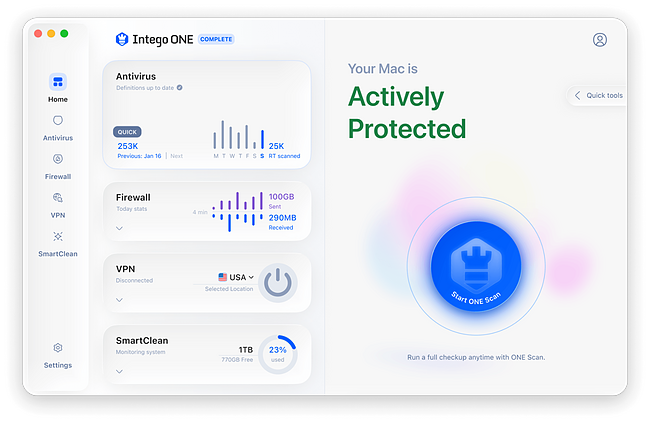
Intego ONE is Intego’s new all-in-one Mac security app, built to make protection easier to manage in one place. Instead of juggling separate tools, you get antivirus protection, firewall protection, SmartClean, and VPN in one Mac-focused app, depending on your plan.
If you’ve used Intego products before, the shift is straightforward — fewer moving parts and one place to manage everything. If you’re new, this is the simplest way to understand what Intego ONE does and how to choose a plan without overthinking it.
Why people trust Intego
- Apple Notarized
- Mac-first since 1997
- Rated 4.8 on Trustpilot
- Trusted on 30+ million devices
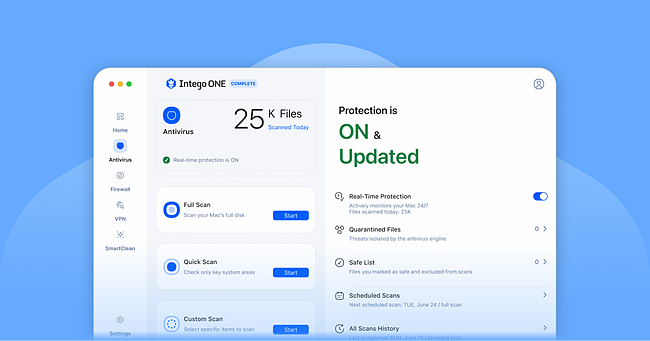
Intego ONE brings antivirus, firewall, cleanup tools, and VPN together in one Mac-focused app.
Macs don’t need a lecture — they need real protection
Macs have a stronger security baseline than many people give them credit for. But that doesn’t mean they’re out of reach. Modern threats don’t always look like the old-school “virus” people imagine, and they don’t need to in order to cause real problems.
Today’s threats are often quieter and easier to miss — spyware that tracks you, adware that changes your browser behavior, phishing that tricks you into handing over credentials, or malware that slips in through a file you didn’t think twice about. The goal is to help you understand what matters and what to do next.
Intego ONE is built for anyone who wants a clearer view of what’s happening on their Mac and more confidence in how to respond when something doesn’t look right.
What Intego ONE changes
When security tools are spread across different apps, it’s easier for things to slip through the cracks. Some settings get ignored, some tools go unused, and protection becomes harder to keep on top of.
Intego ONE’s biggest improvement isn’t one flashy feature. It’s the fact that everything sits in one place, with a single experience that’s simpler to keep up with.
It’s a more straightforward way to stay on top of day-to-day protection.
Antivirus that fits real life
Most people don’t want security to become another task to manage. That’s why real-time protection matters — it quietly handles the day-to-day work in the background, so you don’t have to think about every file or folder you open.
The extra scan options are there for the moments when you want added reassurance:
- “I want to check everything.” That’s a Full Scan.
- “I just downloaded something.” That’s a Quick Scan.
- “This one folder feels off.” That’s a Custom Scan.
If you don’t want to think about which scan to run, ONE Scan gives you a simple way to check your Mac with complete coverage in just a few clicks. That gives you a setup that works both ways — steady protection in the background, and extra control when you want to check something more closely.
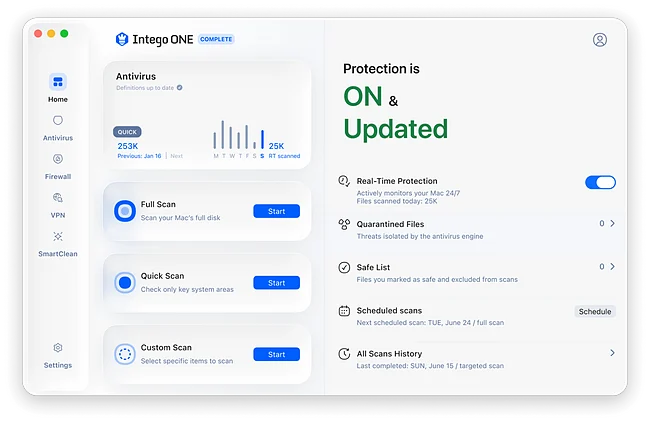
Real-time protection: working quietly in the background
Manual scans are useful, but many problems start in the moment — when a file is downloaded, opened, or comes through a source that seems trustworthy.
Instead of relying on “I’ll scan later,” real-time protection works quietly in the background to help catch threats early, before they have a chance to do any damage.
If you want day-to-day protection without adding more to your plate, this is one of the most important features to look for in a plan.
When something gets flagged, you need clarity
A good antivirus should do more than flag a file. It should help you understand what happened and what to do next.
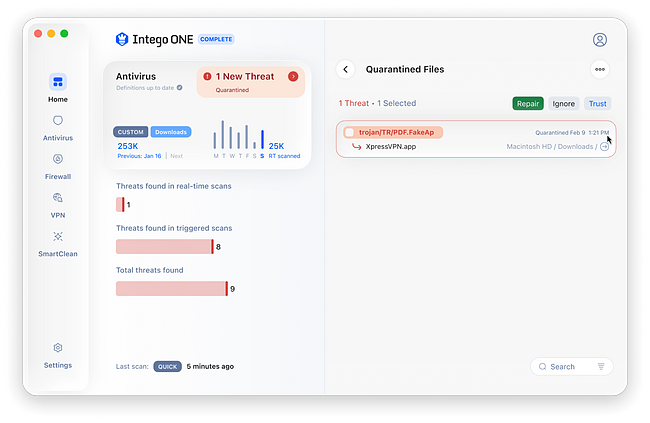
Intego ONE uses Quarantine to isolate suspicious files so they can’t run or spread. If a safe file gets flagged by mistake, the Safe List gives you a clear way to exclude it in future.
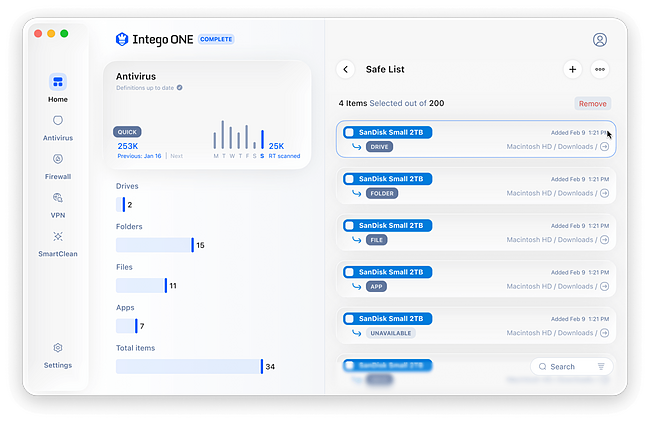
That kind of clarity helps you respond with more confidence, instead of guessing what to do next.
Firewall protection: know what’s connecting to your Mac
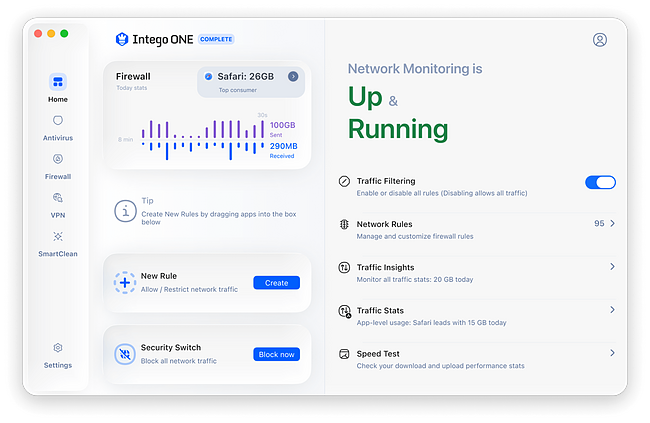
Most people only think about their firewall when something strange happens. But your Mac is constantly connected — to Wi-Fi, Bluetooth, local devices, browsers, apps, and background services.
A firewall gives you a clearer view of what’s trying to connect and helps reduce unwanted access. If you like knowing what’s happening on your network — or you regularly work on shared Wi-Fi — firewall protection is one of the most useful layers beyond basic scanning.
SmartClean: because security and performance overlap
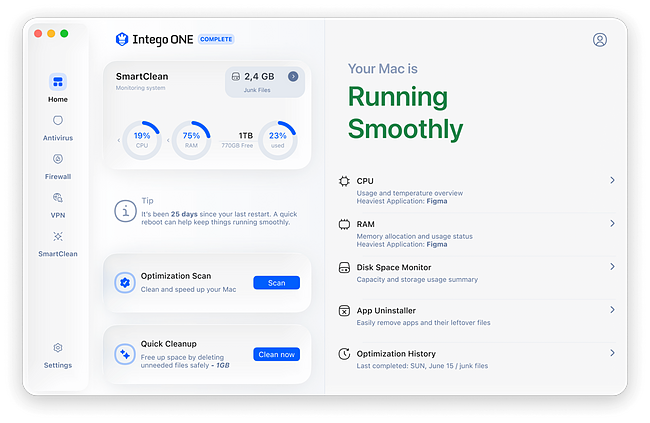
When a Mac gets cluttered, routine upkeep is more likely to slip. A full disk can delay updates, and once performance starts to drag, it becomes more tempting to ignore the problem or try a quick fix you don’t fully trust.
SmartClean helps with the practical side of Mac ownership — freeing up space, clearing out leftover clutter, and helping your Mac stay responsive. It helps keep your Mac in good shape and makes everyday maintenance simpler.
VPN: privacy protection when you’re online
Security isn’t just about what gets downloaded onto your Mac. It also matters what happens while you browse, shop, bank, or connect on shared Wi-Fi.
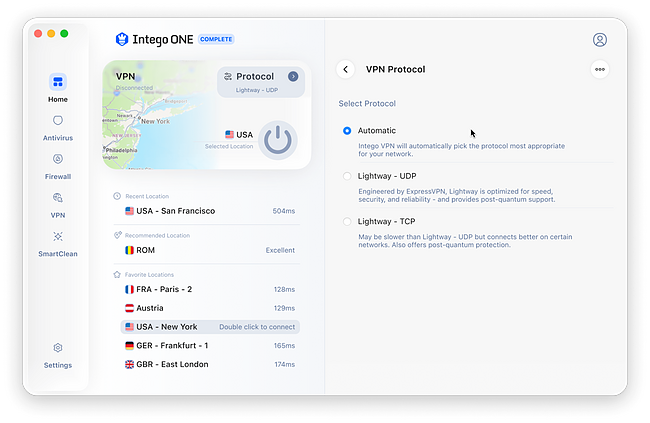
Intego VPN adds a privacy layer by encrypting your internet traffic and masking your IP address. That helps keep your online activity more private and gives you a more secure way to connect when you’re away from home or using a network you don’t fully trust.
For many people, the value is simple: it adds one more useful layer in the same app. If you want antivirus, firewall, cleanup tools, and privacy features in one place, Complete brings them together.
Choosing a plan without guessing
The easiest way to choose an Intego ONE plan is to start with how you want to use it.
- Essential gives you core protection, including antivirus and firewall.
- Advanced adds SmartClean for cleanup and optimization tools.
- Complete includes the full suite, including VPN.
Choose based on how much you want in one place. Essential covers the core protection, Advanced adds cleanup tools, and Complete brings everything together, including VPN.
You don’t need the top plan to take Mac security seriously. You just need the one that fits your needs. Every Intego ONE plan also comes with a 30-day money-back guarantee, so you can try it with confidence.
Frequently asked questions
What is Intego ONE?
Intego ONE is Intego’s all-in-one Mac security app. It combines core security and performance tools into a single interface, so protection is easier to manage day to day.
Is Intego ONE good for everyday Mac users, not just “tech people”?
Yes. It’s designed to be straightforward: clear scan options, sensible protection features, and a single place to manage everything without digging through multiple apps.
Which plan should I choose?
Start with what you need day to day. Essential gives you core protection with antivirus and firewall, Advanced adds SmartClean, and Complete adds VPN. If you want everything in one place, Complete is the fullest option.
