20 Mac malware threats Apple users should know about
Posted on
by
Kamso Oguejiofor-Abugu

Mac malware rarely announces itself as malware. It usually shows up as something ordinary: a free app download, a browser update, a sponsored search result, a cracked version of paid software, or a permission prompt you’re asked to approve before moving on.
That’s what makes many modern Mac threats so easy to miss. They don’t always look technical or dramatic. They often rely on familiar habits — clicking quickly, trusting the first download link, or assuming a pop-up is part of the app you were trying to install.
This guide walks through 20 Mac malware threats Apple users should know about, how they usually spread, and the warning signs to watch for on your Mac.
Do Macs still get malware?
Yes, Macs can get malware. In many cases, it doesn’t appear out of nowhere or force its way in. It gets in because something convinces you to click, download, install, or approve a request.
That might be a fake app installer, a browser update pop-up, a cracked version of paid software, or an attachment from someone pretending to be a recruiter or trusted contact. The danger is that it often looks ordinary in the moment.
Here are 20 Mac malware threats worth knowing about, grouped by how they usually behave — from fake installers and data stealers to adware, spyware, backdoors, and developer-targeted supply-chain risks.
Common Mac malware threats and how they work
Fake installers and trojan threats
1. Atomic macOS Stealer (AMOS)
AMOS often appears as a free version of a paid app, which is a common trojan tactic. If you search for a cracked download, you may land on a convincing site that leads you to the malware instead of the legitimate app.
In some cases, you’re asked to paste a command into Terminal. That should be a warning sign, especially if you’re only trying to install a normal consumer app. After it’s installed, AMOS can access saved passwords, messages, and other sensitive data.
2. “Covid” VPN Trojan
The “Covid” VPN Trojan usually reaches Macs through ads or download pages offering “free” VPN protection. It’s designed to look like a normal security app, but once it’s on your Mac, it watches what you’re doing, collects sensitive information, and lets more malware in.
3. FrigidStealer
FrigidStealer spreads through misleading pop-ups that claim your browser is out of date. Once it’s on your Mac, it can look through saved passwords and browsing history, and may try to access private notes and other saved information.
4. MacSync
MacSync hides inside what looks like a normal messaging app. Because the app can appear signed or approved, your Mac may not show the same warnings you’d expect from clearly suspicious software. MacSync can steal saved passwords and credit card details from browsers, and search folders for private files or digital wallets you’ve stored away.
5. Shlayer
Shlayer often shows up on compromised websites disguised as an Adobe Flash Player update. After it’s installed on a Mac, it starts showing unwanted ads, changes how the browser behaves, and may download more malware — all to generate profit for its operators.
Stealers and data theft malware
6. BeaverTail
BeaverTail is malware that targets saved browser passwords and cryptocurrency wallet data. It often finds its way onto Macs through fake job offers on LinkedIn, X (formerly Twitter) and freelance sites.
Aside from stealing data, it can also install other malware on the system, such as InvisibleFerret, giving attackers even more control over the infected device.
7. KeySteal
KeySteal is a program designed to find its way into your Mac’s Keychain — the system that stores your passwords. Its goal is to get into that storage and take your saved login details.
It usually disguises itself as a common app or file, like ChatGPT, to encourage you to open it.
Adware, browser hijackers, and unwanted apps
8. CoinMiner
CoinMiner uses your Mac’s processing power to create digital currency for someone else. It usually arrives through phishing emails with harmful attachments or compromised websites.
It doesn’t go after your private files. Instead, it uses up system resources, which makes your Mac feel noticeably slow and sluggish.
9. ChromeLoader
ChromeLoader installs an extension in your browser without your permission, which changes how your settings work. Once active, it sends your searches to the wrong places, clutters your screen with ads, and monitors what you do online. It spreads through ads promoting free downloads of games or paid programs.
10. Bundlore
Bundlore is bundleware, which means it hides among useful tools and installs itself when someone downloads those tools. It’s also known as a potentially unwanted app (PUA).
Bundleware can redirect searches to specific sites, change download links, or lead you toward more unwanted or harmful downloads.
Backdoors, spyware, and targeted threats
11. SysJoker
SysJoker is malware that allows someone else to access your Mac remotely without your knowledge. It usually appears as a normal file or a routine software update. It allows the attacker to install more malware and manage your files and settings.
12. Tiny FUD
Tiny FUD is designed to blend in with normal Mac activity, making it harder for security tools to detect it, hence the name Fully Undetectable (FUD). Once installed, it collects sensitive data and even captures screenshots of what you’re doing. It spreads through fake downloads on unofficial websites.
13. InvisibleFerret
InvisibleFerret lets an attacker see the information saved in your apps and browsers, copy files from your Mac, and operate the device remotely. You rarely find this software on its own, as it often comes with other harmful programs, like BeaverTail.
14. RShell
RShell slips into trusted software and gets into a Mac through what looks like a normal update or download. From there, it lets attackers see the device’s name and IP address, browse files, copy documents, or delete data without your knowledge.
15. Backdoor Activator
Malware like this can also be used to connect infected devices into a larger network. This is called a botnet, a group of compromised computers that can be controlled together, often without the owners realizing it.
16. Alchimist
Alchimist lets someone control a Mac from a distance. It typically hides in deceptive emails with malicious links or attachments, infected websites, or software updates and free downloads from untrusted sources. If it finds its way onto a Mac, the person on the other end can look through files, take pictures of the screen, and see what you type.
17. MacSpy
MacSpy is a surveillance tool that has been packaged and shared for others to use — sometimes at no cost. This approach is known as malware-as-a-service (MaaS), where ready-made tools are distributed so attackers don’t have to build them themselves.
An attacker typically needs physical access to install it. Once active, it logs keystrokes, takes screenshots, records audio through the microphone, and accesses photos stored in iCloud.
Developer-targeted and supply-chain style threats
18. CrateDepression
CrateDepression usually spreads through typosquatting, where a small spelling mistake leads someone to download a fake version of a legitimate tool. Once installed, it records what you type, captures screenshots, and accesses private files.
Attackers often use it as a starting point to reach the rest of the company’s internal systems — a tactic known as a supply chain attack.
19. CocoaPods Vulnerability
CocoaPods is a tool developers use to add ready-made code to Apple apps. In 2024, researchers reported weaknesses in CocoaPods that could have allowed attackers to interfere with some software packages.
This matters because supply-chain attacks can reach people through apps or updates that otherwise seem legitimate. Instead of tricking each user one by one, attackers try to compromise part of the software process behind the scenes.
20. WAVESHAPER.V2
WAVESHAPER.V2 sneaks into legitimate software updates, so attackers don’t have to trick you into downloading a fake tool. They simply wait for the software to update itself.
Once that happens, this malware can steal files, record system details, and follow instructions from its operator.
How Apple malware usually spreads
The names of individual threats matter less than the patterns behind them. Once you understand how Mac malware usually reaches people, it becomes much easier to avoid.
Most Mac malware still depends on a familiar mistake: clicking the wrong link, trusting the wrong download, or approving a request without stopping to check what triggered it.
Fake software downloads
You might be looking for a popular app like Zoom or Microsoft Teams and end up on a website that looks official. You may think you’re downloading genuine software, but the file has been altered to include an extra, harmful program.
During installation, the malware may ask for your Mac’s password, saying it’s needed to complete the installation. In reality, it’s to turn off your security settings.
Malicious ads and lookalike sites
Search ads and lookalike websites can make fake downloads feel more trustworthy than they are. You might search for a well-known app and click a result that looks official, only to land on a copycat site.
These sites rely on small details being easy to miss, like a slightly misspelled web address or a domain that looks close enough at a glance.
Cracked or pirated apps
People usually run into trouble when looking for free or unofficial versions of paid tools like Photoshop or Final Cut Pro. Cybercriminals know that if you’re trying to get a paid app for free, you might be more willing to click past a security alert. This makes these downloads a common place to hide harmful programs.
Fake browser or app updates
You’ve likely seen a pop-up while browsing the web claiming that “Adobe Flash Player is out of date” or that your browser requires an “urgent security patch.” These are almost always fake.
Clicking these links usually downloads harmful software, which could then flood your Mac with unwanted ads or change your browser settings.
Typosquatting and misleading package names
In this method, attackers upload harmful code to public software libraries like GitHub or PyPI, giving it a name that is almost exactly the same as a trusted tool.
If a developer is looking for a specific tool but overlooks a small spelling difference or mistypes the name by just one letter, they could accidentally download a fake version that contains malware.
Phishing and social engineering
Attackers can take their time to build a rapport with targets on sites like LinkedIn, pretending to be recruiters or professional contacts. Once the conversation feels genuine, they send a file that seems harmless, only for it to install malware when opened.
Signs your Mac may have malware
While computers do slow down over time, malware often causes specific changes in how the system responds to you. Here are signs that suggest your device might be infected:
- Browser redirects: You type in a familiar web address, only to find yourself landing on a search engine or website you’ve never seen before.
- Increase in ads: You start seeing an unusual number of pop-ups or intrusive advertisements, even on websites that are typically ad-free.
- Changed settings: Your browser’s homepage, preferred search engine, or installed extensions change suddenly without you making those updates.
- Performance issues: Your Mac feels slow, lags behind your typing, or the fan spins loudly during simple tasks like reading email.
- Unfamiliar software: New apps appear in your Applications folder, or programs you don’t recognize start opening automatically at login.
- Constant permission requests: You receive repeated, urgent requests to enter your password or to grant permissions to apps you don’t recognize.
- Overheating: Your Mac feels unusually warm, which points to hidden processes running in the background.
- Login alerts: You get security alerts from services like your email or bank about logins you didn’t make — especially after installing something new.
- Antivirus alerts: Your antivirus software finds and quarantines a suspicious file. Occasional alerts are normal, but repeated warnings are a sign something isn’t quite right — either the sites you’re visiting aren’t very safe, or something on your Mac is triggering new threats.
How to reduce your risk
Keeping your Mac safe isn’t about being an expert — it’s about how you use it day to day. A few simple habits can prevent most common issues.
- Get software from the source: Always download apps either from the App Store or directly from the creator’s website. Third-party download sites often bundle in unwanted or harmful software.
- Be careful with search ads: The very first results in a search are often paid advertisements, and some can lead to harmful sites. Before clicking any download button, take a quick look at the web address to make sure you’re in the right place.
- Avoid “cracked” or pirated apps: Unofficial, free versions of paid apps are frequently used to hide malicious code. Saving the cost of a subscription isn’t worth the headache of having your personal information or accounts put at risk.
- Keep everything updated: Apple regularly releases security updates to fix vulnerabilities and improve protection. If you turn on “Automatic Updates,” your Mac handles these repairs in the background.
- Read before you click: If your Mac suddenly asks for your password or for permission to record your screen, pause and check what triggered it. If you weren’t in the middle of changing a setting or installing something you trust, reject the request.
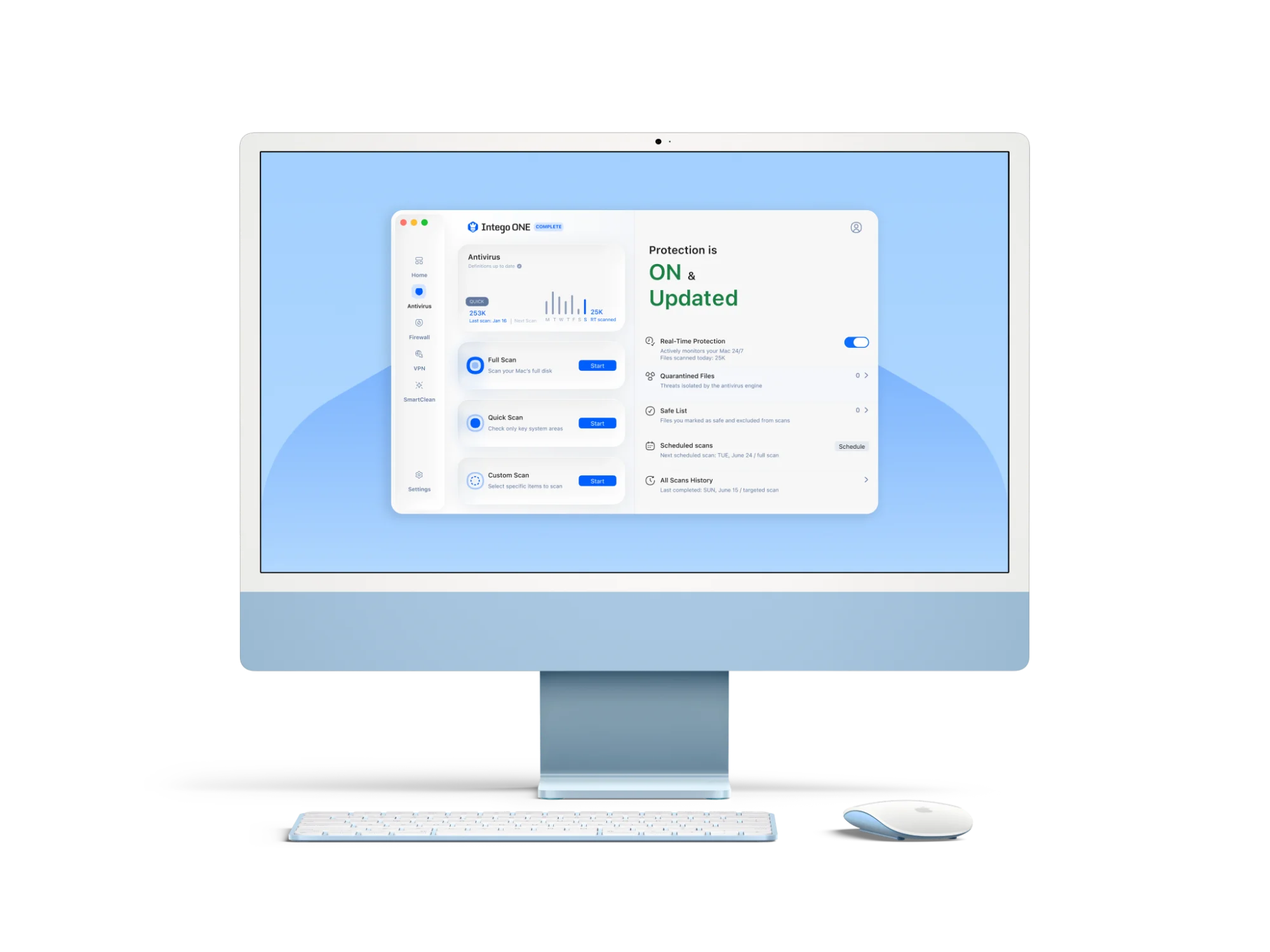
- Use an extra layer of protection: Even with built-in safeguards on your Mac, some threats can slip through. A tool like Intego ONE helps catch suspicious activity early, so you’re not relying on spotting every risk yourself.
Final thoughts
A long list of Mac malware can feel overwhelming, but most of your security depends on simple choices. Be careful where you download apps, pause before approving permission requests, keep your Mac updated, and avoid cracked software or fake browser updates.
Mac malware exists, but it isn’t something you need to panic about. Most threats still rely on rushed clicks, misleading downloads, or permissions you didn’t mean to give. A little caution, backed by trusted security software, can go a long way.