What is a remote access Trojan, and how can you remove it?

  • RATs let attackers secretly control an infected computer or phone

  • They can steal files, record activity, and install more malware

  • A RAT may cause slowdowns, unfamiliar apps, or unexpected settings changes

  • Antivirus protection helps detect and remove known RAT malware

What is a remote access Trojan?

A remote access Trojan, or RAT, is malware that lets an attacker control an infected computer or phone from another location. RATs are often disguised as legitimate apps, attachments, or downloads, but they can also be installed by exploiting a security flaw. Once running, the malware connects to an attacker-controlled server and waits for instructions. A RAT isn’t necessarily a virus: it is only a virus if it can also infect and replicate through other files.

The attacker may be able to view files, record keystrokes, capture screenshots, use the microphone or camera, run commands, or download more malware. RATs can affect Macs as well as Windows computers and mobile devices. Some are designed for widespread financial crime, while others are used in highly targeted spying campaigns. Because a RAT may run quietly in the background, you might not realize someone else has access to your device.

Desktop control

These RATs let attackers control the device remotely. They may move the mouse, type commands, open programs, and use the device almost as if they were sitting in front of it.

Data-stealing RATs

Some RATs are designed to find and steal passwords, browser data, documents, cryptocurrency wallets, messages, and other information that can be sent back to the attacker.

Surveillance RATs

These RATs can spy on users by taking screenshots, recording keystrokes, listening through the microphone, or accessing the camera when permissions allow it.

Downloader RATs

These infections create a hidden entry point that attackers can use to install ransomware, spyware, password stealers, or other malware after gaining access.

Mobile RATs

RATs targeting phones may read messages, collect call information, track location data, access stored files, or misuse device features granted to the malicious app.

How does a remote access Trojan work?

Although individual RATs use different techniques, most follow a similar pattern. The attacker tricks you into installing the malware or takes advantage of a security weakness. The RAT then creates a hidden connection that lets the attacker control the device remotely.

01

Malware is delivered

The RAT may arrive through a phishing attachment, fake software update, pirated application, malicious ad, compromised website, or app downloaded from an untrusted source.

02

The malware runs

Because the malicious file looks legitimate, you may open it, install it, enter an administrator password, or approve permissions that help the RAT operate.

03

The RAT hides

The malware may copy files to less obvious locations, create a startup item, disguise its process name, or make other changes that let it restart automatically.

04

A connection opens

The infected device connects to a server controlled by the attacker. This connection lets the RAT receive commands and send stolen information back to the attacker.

05

The attacker takes control

The attacker can use the RAT’s available features to view files, monitor activity, steal data, change settings, install more malware, or use the device in further attacks.

What are real-world examples of
remote access Trojans?

RATs range from widely available criminal tools to malware used in targeted attacks. These examples show how they can affect different devices and users.

StilachiRAT, 2024

Microsoft researchers discovered StilachiRAT in November 2024. This Windows RAT can collect system information, steal browser credentials and cryptocurrency wallet data, survive restarts, and communicate with an attacker-controlled server. Microsoft said it had not seen the malware distributed widely when its analysis was published in March 2025.

ElectroRAT, 2021

ElectroRAT is a cross-platform RAT that targeted Windows, Linux, and macOS users. Attackers spread it through fake cryptocurrency-related apps, using it to access victims’ devices and steal cryptocurrency wallet information. Its macOS version showed that RAT attacks aren’t limited to Windows computers.

FruitFly, 2017

FruitFly is a Mac RAT that could access files, take screenshots, use the webcam, and control mouse and keyboard actions. Researchers found that it gave attackers remote-control and surveillance abilities. It remains a notable historical example of a RAT targeting Macs.

What are the risks and impacts
of a remote access Trojan?

A RAT gives an attacker a foothold on your device. The damage depends on what the malware can do, how long it remains undetected, and what information is stored on the device.

Stolen data and accounts

A RAT may give attackers access to documents, saved passwords, browser data, messages, or cryptocurrency wallets. They could use that information for account theft, fraud, or identity theft.

Loss of privacy

Some RATs can record keystrokes, capture screenshots, or access the camera and microphone when permissions allow it. This can expose private conversations, personal activity, or sensitive work.

Further malware infections

Attackers may use the RAT to install ransomware, spyware, password stealers, or other malware. This can make the infection more difficult to contain and increase the potential damage.

Device and network misuse

A RAT may let attackers change settings, run commands, access connected services, or use the infected device in further attacks. On a work device, that access could also expose company systems and information.

Who is most at risk from
remote access Trojans?

Anyone can encounter a RAT, but certain habits, devices, and roles make infection or targeted surveillance more likely.

How can you protect yourself from
remote access Trojans?

Reducing your RAT risk means stopping unsafe software before it runs, limiting what apps can access, and acting quickly when something looks suspicious.

Use trusted downloads

Download apps from the App Store or the developer’s official website. Avoid pirated software, unofficial modifications, and unexpected update prompts.

Treat attachments carefully

Don’t open an attachment or follow a download link simply because the message appears urgent. Confirm unusual requests through a separate contact method.

Keep software updated

Keep macOS, iOS, browsers, and all apps updated. Updates fix security weaknesses that attackers may use to install malware.

Review device permissions

Check which apps can access your camera, microphone, files, screen recording, accessibility controls, and other sensitive features. Remove permissions that don’t make sense.

Scan for malware

Use reputable antivirus software to scan suspicious downloads and check the device for known RATs, Trojans, spyware, and related malicious files.

How Intego helps protect your Mac
from RAT malware

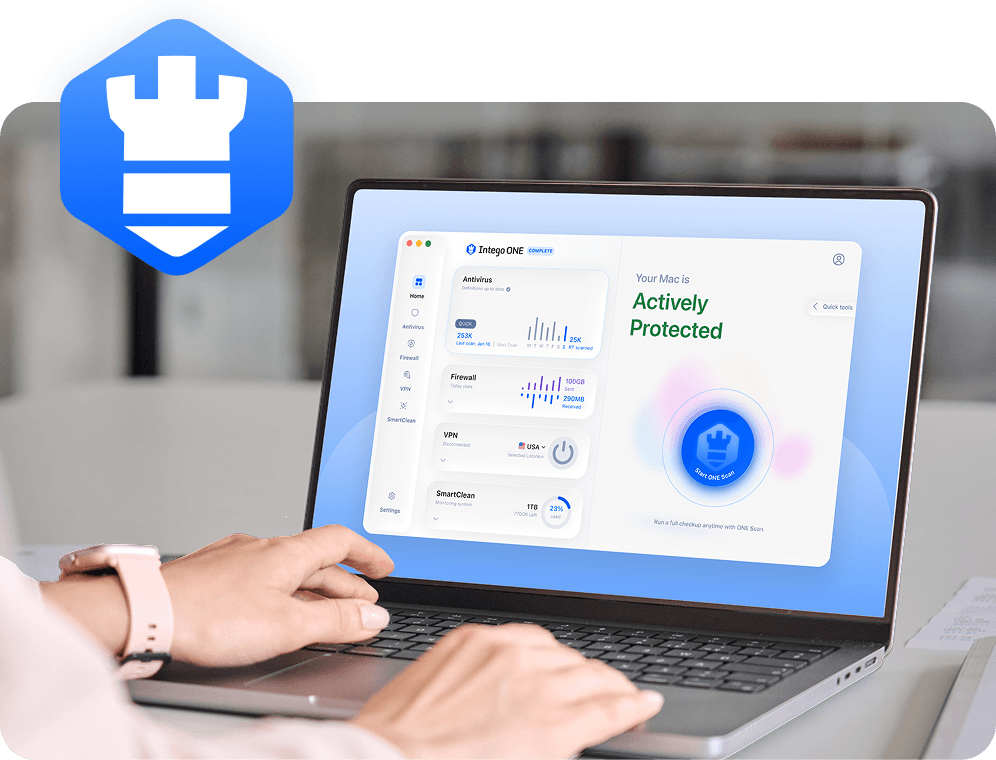
RATs can give attackers hidden access to your Mac, so malware detection is the main protection path. Intego ONE Antivirus scans for known RATs and other malware, blocks known malicious files, and quarantines detected threats. Smart Firewall adds connection visibility by showing which apps are online and letting you block connections you don’t trust.

Real-time protection

Files are checked when they’re downloaded, opened, or accessed. This helps block known malicious files before they can run on your Mac.

Flexible malware scans

Run quick, full, custom, or scheduled scans to check your Mac for known RATs and other malicious files that may already be present.

Automatic quarantine

When known malware is detected, Intego isolates the file in quarantine so it can’t be opened or make further changes while you review it.

Connection controls

Smart Firewall shows which apps are using your Mac’s network connection and lets you block connections you don’t recognize while you investigate.

Frequently asked questions

Intego

Trusted. Proven. Powerful.

Driven by innovation for over 25 years, Intego has provided advanced cybersecurity solutions built to protect what matters most — your data, your privacy, and your devices.

With award-winning antivirus, firewall, VPN, and system optimization tools, Intego combines powerful defense with the simplicity and reliability Mac and PC users expect.

Money Back Guarantee Image

Get total protection and peak performance for your computer