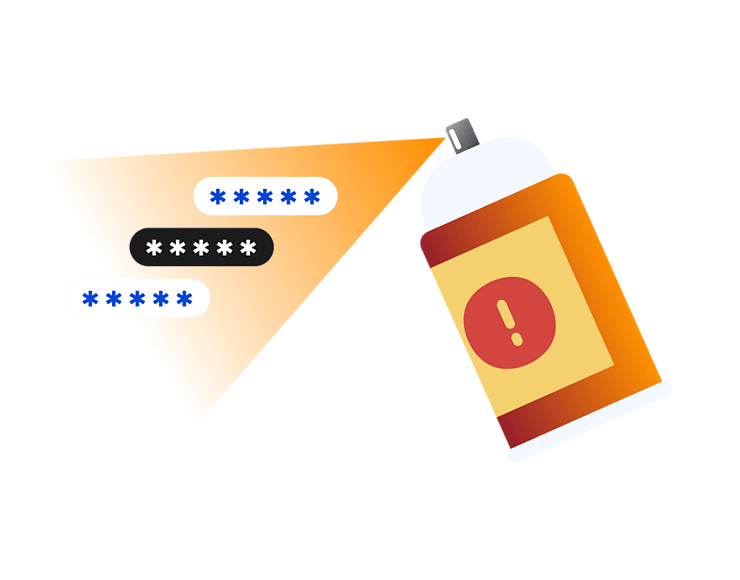
Password spraying is a type of login attack where attackers try one common password or a small set of common passwords across many different accounts. Instead of targeting one username with hundreds of guesses, they spread the attempts out so each account may only see a few failed logins.
That is what makes password spraying different from a typical brute-force attack. It’s slower, quieter, and designed to avoid basic account lockout rules. If one login succeeds, they may use it to read email, access business tools, reset other passwords, or look for more valuable accounts.
Common passwords
Attackers often test passwords people are likely to choose, such as seasonal phrases, company names, predictable patterns, or simple variations with numbers and symbols.
Many accounts
Instead of focusing on one person, password spraying spreads attempts across a long list of usernames. This can make each login attempt look less suspicious on its own.
Low-and-slow attempts
Attackers may space out sign-in attempts to avoid basic lockout rules. The pattern is easier to spot when failed logins are reviewed across many accounts.
Stolen usernames
Password spraying often starts with usernames from public staff pages, email formats, old breaches, or guessed address patterns like [email protected].
Business logins
Work email, cloud apps, VPN login portals, and admin panels are common targets because one successful login may give access to sensitive data or internal tools.
Password spraying is usually automated, but the idea is simple. Attackers gather usernames, choose common passwords, and test them across many accounts over time.
01
Attackers collect usernames
Attackers build a list of usernames or email addresses from public websites, staff pages, leaked data, social profiles, or predictable email formats.
02
They choose passwords
They pick common passwords, seasonal phrases, company-related words, or simple variations. These guesses work because many people still use predictable passwords.
03
Attempts are spread out
Instead of trying many passwords on one account, attackers try one password across many accounts. This helps them avoid obvious lockout triggers.
04
A login succeeds
If one account uses a weak password, attackers may gain access. They may then check email, cloud files, admin tools, or saved account information.
05
Access is expanded
After a successful login, attackers may try to reset other passwords, send phishing emails, create inbox rules, or look for higher-value accounts.
What are real-world examples of password spraying?
Password spraying is often used because it doesn’t rely on advanced malware or software exploits. Instead, it takes advantage of weak passwords, exposed usernames, and login systems without strong additional security checks.
2024
Microsoft breach
In January 2024, Microsoft disclosed that Midnight Blizzard used a password spraying attack to compromise a legacy, non-production test tenant account that did not have MFA enabled. Microsoft said the attackers then accessed a small percentage of corporate email accounts, including accounts used by senior leadership and teams in cybersecurity and legal functions.
2024
OWA targeting
In September 2024, CISA and partner agencies reported that Russian military cyber actors had targeted Microsoft Outlook Web Access infrastructure with password spraying to obtain valid usernames and passwords. This example shows why internet-facing work portals and email systems need MFA, sign-in monitoring, and strong password controls.
2021
SVR activity
In a 2021 advisory, CISA reported that Russian SVR cyber actors had used password spraying in a 2018 compromise of a large network to identify a weak password tied to an administrative account. The case highlights why privileged accounts need stronger protections than ordinary user accounts.
What are the risks and impacts of password spraying?
The main risk is account access. Once attackers gain access to one account, they may use it to reach other systems, read sensitive data, or trick other people.
Account takeover
If a guessed password works, attackers may get into email, cloud storage, business tools, or personal accounts. The impact depends on what that account can access.
Data exposure
A compromised account may contain emails, files, invoices, customer details, passwords, or password reset links. Even one account can reveal more than expected.
Business disruption
For organizations, password spraying can lead to investigation work, account resets, blocked access, and urgent security response work that interrupts normal activity.
More phishing
Attackers may use a real account to send convincing phishing messages to contacts, colleagues, or customers. These emails can be harder to recognize than messages from outside attackers.
Who is most at risk from password spraying?
Password spraying can affect individuals and organizations, but the risk is higher when usernames are easy to find and passwords are weak or reused.
Remote workers
People who sign in to email, cloud apps, VPNs, or work portals from different networks may face higher risk if their accounts lack strong passwords and multi-factor authentication (MFA).
Small businesses
Small teams often use predictable email formats and shared tools, but may not have dedicated security monitoring to spot slow, spread-out login attempts.
Admin users
Administrator, finance, IT, and manager accounts are attractive because one successful login may provide access to sensitive settings, payments, files, or user controls.
Password reusers
People who reuse old, simple, or slightly modified passwords are easier to target, especially if one of these passwords has already appeared in a previous data breach.
How can you protect yourself from password spraying?
You cannot always see when someone is trying to guess your password, but you can make these attacks much harder to succeed.
Multi-factor authentication adds another check after the password. Even if a password is guessed, the attacker may still be blocked from signing in.
Avoid predictable phrases
Do not use passwords based on seasons, company names, sports teams, birthdays, pets, or simple patterns. These are common password guesses in password spraying attacks.
Watch login alerts
Pay attention to failed sign-in warnings, unusual location alerts, and password reset emails you did not request. These can be early signs of account testing.
Update weak passwords
Change weak, reused, or old passwords before attackers can take advantage of them. Start with email, banking, Apple ID, work accounts, and any account with payment details.
How Intego helps supports safer sign-ins on your Mac
Password spraying targets online accounts, so no Mac security app can stop every login attempt against a website or cloud service. Intego ONE for Mac supports broader account security by helping protect the Mac you use to sign in, download files, browse, and manage your accounts.
Malware protection
If account compromise leads to suspicious downloads or email attachments, Intego’s antivirus protection can help detect known Mac malware and unsafe files.
Connection control
Intego’s firewall helps you control which apps can connect to the internet and other networks, making unexpected app connections easier to spot and block.
VPN privacy
Intego VPN helps protect your internet traffic on shared networks. It does not stop password spraying, but it adds privacy when signing in on shared or public networks.
Mac activity visibility
SmartClean helps you review what’s installed, what’s using space, and what’s running on your Mac after suspicious account activity.
Use strong, unique passwords for every account and turn on multi-factor authentication wherever possible. Avoid predictable passwords based on seasons, company names, pets, birthdays, or simple number patterns. For important accounts, review login alerts and change weak or reused passwords quickly. Organizations should also monitor failed sign-ins across accounts, not just repeated failures on one username.
The basic password spraying rule is simple: attackers try one common password across many accounts, then move to another password later. This is different from guessing many passwords against one username. The goal is to keep the number of failed attempts per account low enough to avoid basic lockout rules while still finding accounts that use weak passwords.
It can sometimes avoid simple lockout policies because attackers spread attempts across many accounts instead of repeatedly targeting one account. If a system only locks accounts after repeated failures on one username, a low-and-slow password spray may not trigger it immediately. Stronger defenses include MFA, smart lockout, password protection policies, and monitoring failed logins across all users.
MFA can greatly reduce the risk because a guessed password alone is usually not enough to sign in. It’s not a reason to ignore password quality, though. Attackers may still try phishing, MFA fatigue prompts, or accounts where MFA is not enabled. The safest setup is a strong unique password, MFA, and alerts for unusual sign-in attempts.
Organizations should require MFA, block common weak passwords, monitor failed logins across many accounts, protect admin accounts, and reduce use of legacy authentication where possible. Password protection policies that block weak or commonly used passwords can also reduce risk.
Yes, but detection works best when tools look across accounts, IP addresses, locations, devices, and sign-in patterns. A single failed login may not mean much. Many failed logins across many accounts are more suspicious, especially with common passwords or unusual locations. Security teams often review sign-in logs, legacy authentication activity, user risk, and related alerts when investigating password spraying.
Intego
Trusted. Proven. Powerful.
Driven by innovation for over 25 years, Intego has provided advanced cybersecurity solutions built to protect what matters most — your data, your privacy, and your devices.
With award-winning antivirus, firewall, VPN, and system optimization tools, Intego combines powerful defense with the simplicity and reliability Mac and PC users expect.