Brute force attacks are login attacks where someone repeatedly tries passwords until one works. The attacker may try random combinations, common passwords, leaked passwords, or small variations of details that are easy to guess, such as names, birthdays, or simple keyboard patterns.
These attacks can target email, banking, social media, cloud storage, work accounts, and almost any other password-protected service. They’re closely related to credential stuffing, but they’re not the same thing. Brute force attacks rely on guessing or testing possible passwords. Credential stuffing uses usernames and passwords that were already exposed in another data breach.
Simple brute force
The attacker tries many possible password combinations against one account. Strong passwords make this much harder, but short or obvious passwords can still be guessed.
Dictionary attacks
Instead of trying random characters, the attacker uses lists of common passwords, names, phrases, and predictable variations. These attacks are especially effective against simple passwords.
Credential stuffing
Attackers use usernames and passwords exposed in previous breaches or stolen through phishing attacks, then test them on other sites. This works when people reuse passwords across accounts.
Password spraying
The attacker tries one common password across many accounts. This can help attackers avoid lockouts triggered by too many failed attempts on a single account.
Most brute force attacks follow a simple pattern: find a login page, test possible passwords, and look for a successful sign-in. Automation makes this much faster than a person typing guesses by hand.
01
Pick the target
The attacker chooses an account, login page, company portal, or list of usernames. Public email addresses and exposed employee usernames can make this easier.
02
Build the guesses
Attackers gather possible passwords from common wordlists, leaked data, personal details, and predictable patterns such as seasons, years, names, or simple number swaps.
03
Run the attempts
Automated tools test the password guesses at high speed. Some attacks happen quickly, while others are deliberately slowed down to avoid lockouts or security warnings.
04
Check for access
When a password works, the attacker may check whether multi-factor authentication (MFA) is enabled, save the account details, or look for connected accounts and sensitive data.
05
Use the account
The attacker may reset passwords, steal files, send scams, access linked services, or use the account to reach other accounts, people, or systems.
What are real-world examples of brute force attacks?
Brute force attacks affect more than large corporations or highly technical systems. Many real-world attacks start with weak passwords, reused credentials, or exposed login details that allow attackers to test access across everyday accounts and business services.
Roku account attacks, 2024
Roku disclosed two credential stuffing attacks that affected more than 590,000 customer accounts. Attackers used usernames and passwords exposed in earlier breaches to test logins against Roku accounts with reused credentials. Some accounts were used to make unauthorized purchases before the activity was detected and users were prompted to reset passwords.
23andMe credential stuffing, 2023
Attackers used credential stuffing techniques to access thousands of 23andMe accounts with information from earlier breaches. Once inside, they accessed sensitive profile information connected through the company’s DNA Relatives feature. This incident showed how reused passwords can expose highly personal data even when the original breach happened elsewhere.
Microsoft password spraying, 2024
The Midnight Blizzard threat group used password spraying to target Microsoft company accounts and test weak or reused credentials across multiple services. This campaign highlighted how attackers use automation and predictable passwords to gain access without triggering immediate lockouts.
What are the risks and impacts of brute force attacks?
The biggest risk is unauthorized access to your accounts. Once an attacker gets in, the impact can spread quickly if the account connects to email, payments, work files, or other services.
Account takeover
An attacker may change your password, add new recovery details, lock you out, or use the account to reach more sensitive services.
Private data exposure
Messages, documents, photos, invoices, saved addresses, and payment details may become visible depending on which account is compromised.
Financial fraud
A compromised account can be used to make purchases, redirect payments, reset banking access, or send convincing scams to your contacts.
More account attacks
If you reuse passwords, one successful login can lead to attacks against your email, cloud storage, shopping accounts, and work tools.
Who is most at risk from brute force attacks?
Anyone can be targeted, but some login habits and account setups make brute force attacks easier.
People who reuse passwords
People who reuse passwords across email, banking, shopping, and social accounts are more exposed if one password is leaked or successfully guessed.
Weak-password users
Short passwords, pet names, birthdays, sports teams, keyboard patterns, and predictable number swaps give attackers easier passwords to guess.
Small businesses
Small businesses using shared accounts, repeated passwords, or weak temporary logins may be easier to target without strong login monitoring or MFA.
Remote workers
People who sign into work tools, email, and cloud apps from different locations may face more account exposure if MFA is not enabled.
How can you protect yourself from brute force attacks?
The best protection is to make passwords harder to guess and to reduce the impact if one password is exposed. These habits are simple, but they can significantly reduce your risk.
Use unique passwords
Create a different strong password for every important account. A password manager can help you safely store long passwords without memorizing them all.
Turn on MFA
Multi-factor authentication adds another sign-in step after your password. It can stop many takeovers even if a password is guessed or stolen.
Avoid obvious patterns
Don’t rely on names, birthdays, seasons, sports teams, or small variations of old passwords. Attackers often test these first.
Watch login alerts
Pay attention to unexpected sign-in emails, password reset messages, MFA prompts, or location warnings. These can be early signs of unauthorized access attempts.
Protect your Mac
Keep macOS and browsers updated, avoid suspicious downloads, and use trusted Mac security tools to reduce malware risks that can lead to stolen passwords.
How Intego ONE supports safer account security on your Mac
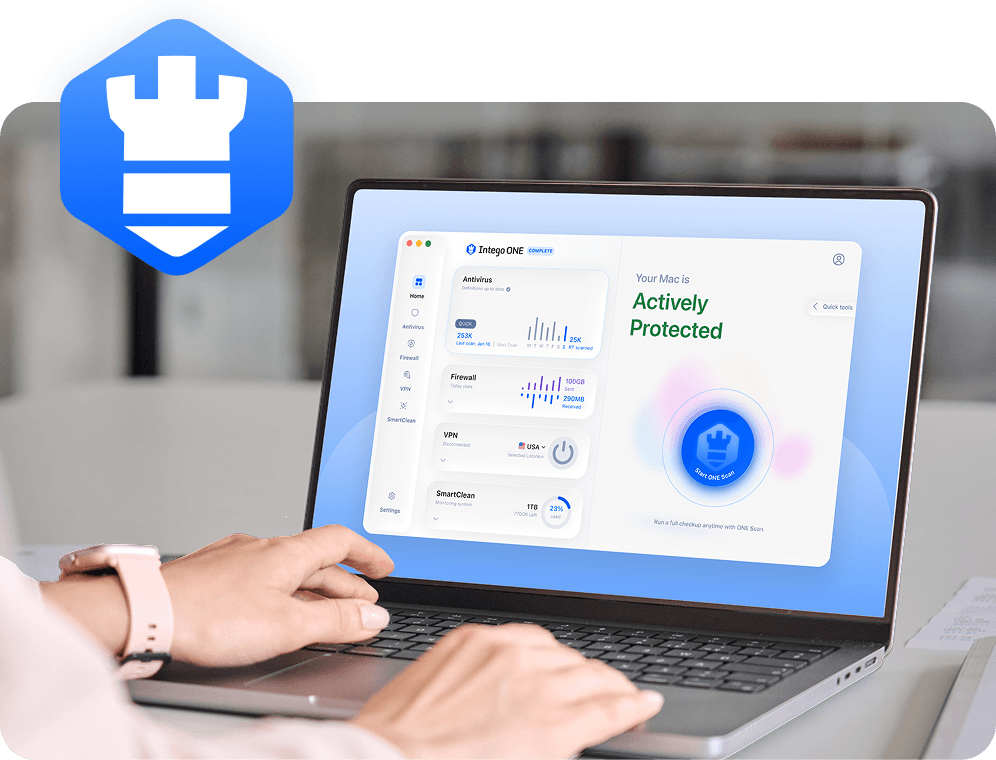
Brute force attacks happen at the account login level, so antivirus software cannot directly block every password-guessing attempt against an online service. But your Mac still plays an important role. Intego ONE for Mac helps protect the device you use for passwords, email, banking, files, and everyday sign-ins.
Intego Firewall alerts you when apps try to make new or unusual connections, so you can allow or block activity you do not recognize.
Safer online habits
A protected Mac can help reduce exposure to scam downloads, fake installers, and other threats that may lead to stolen passwords or compromised accounts.
Broader Mac protection
Intego ONE combines antivirus, firewall, VPN, and cleanup tools in one place, helping you manage everyday Mac security with more confidence and visibility.
A brute force attack is a login attack where someone repeatedly guesses passwords until one works. Attackers may use automated tools, common password lists, leaked data, or predictable variations.
Brute force attacks usually start with a target account or login page, then use automated attempts to test possible passwords. Some attacks happen quickly, while others are slowed down to avoid lockouts. Many follow a similar step-by-step process, from choosing a target to testing passwords and checking for access.
No. Brute force attacks usually involve guessing or testing possible passwords, while credential stuffing uses usernames and passwords exposed in earlier breaches. Both target account logins, but the methods are different. Credential stuffing and password spraying attacks are closely related to brute force attacks because they also rely on large numbers of login attempts.
Warning signs can include unexpected login alerts, repeated password reset emails, unusual MFA prompts, account lockouts, or sign-ins from unfamiliar locations. These signs don’t always confirm a brute force attack, but they are worth checking quickly. Pay attention to login alerts and MFA warnings — this can help you spot suspicious activity earlier.
Intego cannot directly stop every password-guessing attempt against an online account because those attacks happen on the login service itself. But Intego can help protect the Mac you use for passwords, email, banking, and files. Features like malware detection and connection monitoring can help reduce related security risks on your device.
Intego
Trusted. Proven. Powerful.
Driven by innovation for over 25 years, Intego has provided advanced cybersecurity solutions built to protect what matters most — your data, your privacy, and your devices.
With award-winning antivirus, firewall, VPN, and system optimization tools, Intego combines powerful defense with the simplicity and reliability Mac and PC users expect.