What is spear phishing? Meaning, examples, and protection

  • Spear phishing targets specific people with personal-looking messages.

  • These scams often impersonate coworkers, brands, or trusted services.

  • One convincing email can expose accounts, files, or money.

  • Careful checks and Mac security tools can reduce the risk.

What is spear phishing?

Spear phishing is a targeted scam where an attacker sends a message designed for a specific person, team, or organization. Unlike generic phishing emails sent to thousands of people, the attacker usually does some research first. They may use names, job titles, recent purchases, public posts, or company details to make the message feel familiar and trustworthy.

A spear phishing email might ask you to open an attachment, click a login link, approve a payment, share a file, or reset a password. On a Mac, the main risk often starts with the account or browser, but it can also lead to unsafe downloads, fake installers, or malicious attachments. That’s why prevention needs both careful habits and strong device protection.

Spear phishing emails

These are targeted emails that look like they come from someone you know or a service you use. The goal is usually to steal passwords, payments, or private information.

Fake login pages

The message sends you to a page that looks like Apple, Google, Microsoft, your bank, or a work tool. Anything you enter goes to the attacker.

Malicious attachments

Some spear phishing emails include documents, PDFs, or files that look work-related. Opening them may expose your Mac to malware or suspicious background activity.

Business email compromise

Attackers impersonate an executive, supplier, or coworker to request money, gift cards, invoice changes, or sensitive company data.

Account takeover

If the attacker steals your password, they may use your account to reset other logins, read private messages, or send new scams to your contacts.

How does spear phishing work?

Spear phishing works because the message feels specific enough to trust. The attacker uses context, timing, and pressure to make the request seem normal, then pushes the target toward one unsafe action.

01

The attacker researches

They look for useful details, such as your name, workplace, role, public posts, recent events, suppliers, or services you appear to use. They often gather this information from social media, company websites, public records, and data breaches.

02

They choose a disguise

The message may pretend to come from a manager, coworker, bank, delivery company, Apple, Microsoft, Google, or another familiar service.

03

They create urgency

The email may say an account will be locked, a payment is overdue, a document needs review, or a request must be handled quickly.

04

You’re asked to act

The message pushes you to click a link, open a file, enter a password, approve a payment, or share information.

05

The attacker uses access

If the attack succeeds, the attacker may access accounts, steal data, install malware, send additional scams, or commit financial fraud.

What are real-world examples of spear phishing?

Spear phishing can affect individuals, companies, and public organizations. These examples show how targeted messages can lead to money loss, account access, and wider security problems.

Midnight Blizzard campaign, 2024

Microsoft reported a targeted spear-phishing campaign in October 2024 linked to Midnight Blizzard. The attackers sent work-related emails to people in government, academia, defense, NGOs, and other sectors. The messages included Remote Desktop Protocol (RDP) files designed to gain access to systems, showing how spear phishing can go beyond fake login pages and credential theft.

Rimasauskas invoice scam, 2013–2015

A Lithuanian man, Evaldas Rimasauskas, carried out a business email compromise (BEC) and invoice fraud scheme that tricked 2 U.S.-based technology companies into sending more than $120 million to accounts he controlled. The case shows how attackers can impersonate trusted suppliers and send convincing invoices. Organizations with weak payment controls may be more likely to fall for these scams.

Ubiquiti wire fraud, 2015

Ubiquiti disclosed in 2015 that attackers used spoofed executive-style communications to trigger unauthorized international wire transfers. The company reported a loss of $46.7 million, though some of the money was later recovered. The incident shows how targeted emails can be used to manipulate employees and bypass financial controls.

What are the risks and
impacts of spear phishing?

Spear phishing can start with one message, but the damage often spreads. Once an attacker gets a password, payment approval, or unsafe file opened, the impact can grow quickly.

Stolen passwords

A fake login page can capture your username and password, giving attackers access to email, cloud storage, banking, shopping, or work accounts.

Financial loss

Some attacks request wire transfers, invoice changes, gift cards, or payment details. These scams often rely on urgency and trusted names.

Data exposure

If an attacker reaches email, cloud files, or shared drives, private documents, customer details, photos, or business information may be exposed.

Malware infection

Attachments or downloads can install malware, spyware, or other harmful files. On a Mac, this may happen through fake documents, installers, or prompts.

Who is most at risk
from spear phishing?

Anyone can receive a targeted scam, but attackers usually focus on people with access, visibility, money-handling authority, or public information that makes impersonation easier.

How can you protect yourself
from spear phishing?

The best protection is a mix of slow, careful checking and good security habits. Spear phishing tries to make you react quickly, so a short pause can make a real difference.

Check the sender carefully

Look beyond the display name. Check the full email address, domain spelling, reply-to address, and any small changes in the sender’s name.

Don’t trust urgency

Pause when a message pressures you to act fast. Scammers use deadlines, fear, and authority to stop you from checking properly.

Verify another way

If a request involves money, passwords, files, or account changes, confirm it through a separate trusted channel before taking action.

Avoid login links

Open important sites directly in your browser or app instead of signing in through a link from an unexpected email or message.

Scan suspicious files

If you downloaded or opened something suspicious on your Mac, avoid entering more information and run a full malware scan.

How Intego helps protect your Mac after risky messages

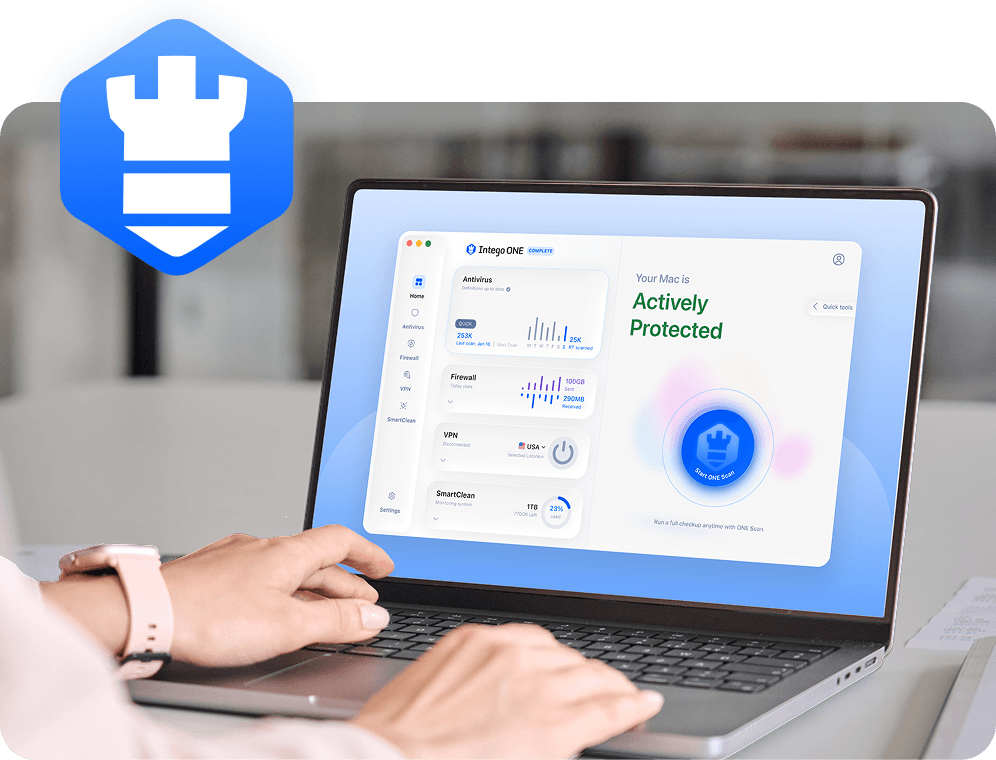
Spear phishing is mainly a human-trust and account threat, so no security app can stop every convincing email before you see it. Intego Antivirus helps with the Mac side of the risk by scanning suspicious files, detecting known Mac malware, and helping you check your device after a risky click, download, or attachment.

Real-time file scanning

Intego Antivirus scans files as you use your Mac, helping catch known malware in unsafe downloads or attachments before it can spread further.

Full Mac scans

If you clicked a suspicious link or opened a questionable file, a full scan can help check your Mac for hidden threats.

Malware detection

Spear phishing may lead to trojans, spyware, or other harmful files. Antivirus protection helps detect and remove known Mac malware.

Mac-first protection

Intego is built for macOS, so protection fits everyday Mac use without expecting you to understand complex security tools.

Frequently asked questions

Intego

Trusted. Proven. Powerful.

Driven by innovation for over 25 years, Intego has provided advanced cybersecurity solutions built to protect what matters most — your data, your privacy, and your devices.

With award-winning antivirus, firewall, VPN, and system optimization tools, Intego combines powerful defense with the simplicity and reliability Mac and PC users expect.

Money Back Guarantee Image

Get total protection and peak performance for your computer

×

KICKOFF SALE

Wait! Limited time World Cup savings

Block threats, browse privately, and
boost performance in ONE app.

SAVE 50%

30-day money-back guarantee

Rated #1 by Macworld