What is spyware? How it works and how to protect your Mac

  • Spyware hides on a device and quietly collects personal data.

  • It can track your activity, collect sensitive data, or put your accounts at risk.

  • Spyware often spreads through deceptive downloads, fake apps, or phishing.

  • Careful habits and trusted antivirus tools can help reduce the risk.

What is spyware?

Spyware is software that secretly collects information from a device or user without their clear knowledge or consent. In some cases, it tracks browsing activity or app use for advertising or profiling. In more serious cases, it can capture passwords, messages, screenshots, or other sensitive data and send it back to someone else.

Spyware is designed to stay out of sight rather than disrupt your device. On a Mac, spyware may arrive through a deceptive download or hide inside another app, then run quietly in the background. Because spyware doesn’t always cause obvious warnings or slowdowns, it may stay active for a long time before you notice anything is wrong.

Keylogging spyware

Records what you type, including passwords, messages, and search terms. This can expose personal or work accounts, as well as payment details, without any visible sign on your screen.

Password theft spyware

Collects login data stored in browsers, apps, or system memory. This information can then be used to access accounts, commit fraud, or try the same login details elsewhere.

Browser tracking spyware

Monitors browsing behavior, searches, clicks, and visited sites. This data may be used for aggressive profiling or to support scams, account theft, and other privacy risks.

Device monitoring spyware

Tracks messages, calls, location, or other device activity. Some tools are marketed as monitoring software, but they can function as invasive spyware when used without clear knowledge or consent.

How does spyware work?

Spyware usually gets installed without the user noticing, collects personal information in the background, and sends that information elsewhere without drawing attention to itself. The exact method can vary, but the overall pattern is often similar.

01

Reach the device

Spyware often arrives through a download, fake app, phishing link, email attachment, unsafe website, or misleading software update that looks legitimate.

02

Install quietly

It may hide inside another app or run in the background after installation. In some cases, you may approve something during setup without realizing it’s suspicious.

03

Gain access

Once active, it starts collecting keystrokes, browsing activity, saved logins, screenshots, device details, and other sensitive information stored on the device.

04

Send data out

The information is then sent to an outside party, such as an advertiser, data broker, or attacker. That data may be used for profiling, spying, fraud, or account abuse.

05

Stay hidden

Some spyware tries to avoid detection by running quietly, using vague names, or blending in with normal background activity.

What are real-world examples of spyware?

Real-world spyware cases show that spyware can range from quiet data theft to invasive monitoring. Some campaigns focus on stolen credentials and financial gain, while others are designed to closely monitor a target’s activity.

Pegasus — 2016 onward

Pegasus became one of the most widely known spyware names after repeated investigations linked it to highly targeted surveillance campaigns. Researchers documented Pegasus on mobile devices, showing how spyware can monitor activity, collect data, and remain difficult to detect.

CloudMensis — 2020s

CloudMensis is a macOS spyware example linked by researchers to targeted monitoring activity. It was reported to collect files, screenshots, keystrokes, and other data from infected Macs, showing how spyware can become a broader monitoring tool.

Infostealer-style spyware — 2020s

Many recent spyware campaigns rely on infostealer behavior rather than obvious surveillance language. These threats quietly collect browser data, saved credentials, clipboard content, and other useful information, often staying invisible until stolen accounts or suspicious logins appear.

What are the risks and impacts of spyware?

Spyware is dangerous because it can quietly collect sensitive information without being noticed. It may stay hidden until the damage shows up somewhere else.

Privacy loss

Spyware can collect browsing activity, messages, searches, screenshots, or other personal information. That reduces your control over what stays private and what gets exposed.

Account theft

If spyware captures passwords or login details, attackers may be able to access email, banking, shopping, social, or work-related accounts without needing to guess credentials.

Financial harm

Stolen payment details, account access, or identity information can lead to fraud, unauthorized purchases, or long and frustrating recovery work to regain control of affected accounts.

Ongoing compromise

Spyware may remain active over time, continuing to collect data or opening the door to further abuse. The longer it stays hidden, the more damage it can do.

Who is most at risk
from spyware?

Some users face more risk because of the apps they install, the links they open, and how much sensitive activity they handle on one device.

How can you protect
yourself from spyware?

Protecting your device from spyware starts with habits that reduce the chance of it getting in. Because spyware is designed to stay hidden, prevention and early detection matter more than waiting for obvious warning signs.

Download carefully

Install apps from trusted sources and be cautious with free tools, bundled downloads, or unofficial sites where spyware or unwanted software can be hidden.

Avoid fake alerts

Do not trust pop-ups claiming your device is infected or urgently needs an update. Go directly to the official app or website instead.

Check links before opening

Phishing emails, messages, and fake login pages are common delivery methods. Take a moment before opening attachments or clicking links that feel rushed or unusual.

Review permissions

Pay attention to what apps want access to, especially when they ask for broad permissions that do not match what the app is meant to do.

Use trusted antivirus

A reliable antivirus tool can help detect spyware, flag suspicious files, and make it easier to remove unwanted software before it captures your data.

How an antivirus helps protect
your Mac from spyware

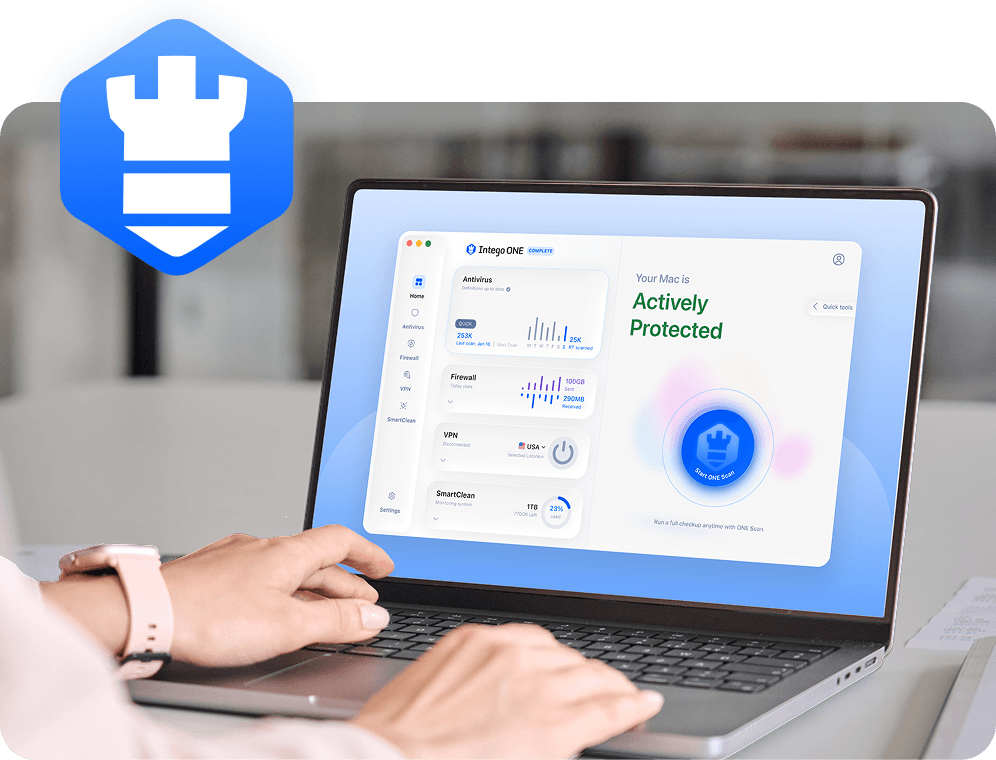
Spyware often depends on unsafe downloads, phishing, hidden installs, or suspicious background behavior. Antivirus helps reduce that risk by detecting malicious files early, monitoring for threats as you use your Mac, and helping to remove hidden components on your Mac that are easy to miss manually.

Threat detection

Antivirus tools help identify spyware, infostealers, and other suspicious files early, reducing the chance they settle on your Mac or begin gathering sensitive data.

Safer downloads

They help check installers, attachments, and downloaded files before you open them, flagging software that may appear harmless but could contain hidden spyware or unwanted components.

Threat cleanup

If spyware is already on your device, antivirus can help identify related files and hidden components that are difficult to find and remove on your own.

Ongoing protection

Real-time protection helps monitor for suspicious behavior as you use your Mac, which matters when spyware tries to stay quiet or return through repeated downloads.

Frequently asked questions

Intego

Trusted. Proven. Powerful.

Driven by innovation for over 25 years, Intego has provided advanced cybersecurity solutions built to protect what matters most — your data, your privacy, and your devices.

With award-winning antivirus, firewall, VPN, and system optimization tools, Intego combines powerful defense with the simplicity and reliability Mac and PC users expect.

Money Back Guarantee Image

Get total protection and peak performance for your computer