A man-in-the-middle attack happens when someone secretly places themselves between your Mac and the website, app, or service you are using. Instead of your information going straight to its online destination, it passes through the attacker first. That can let them read it, steal it, or even change it.
These attacks do not always involve malware on your device. In many cases, they rely on unsafe public Wi-Fi, fake websites, websites that aren’t properly secured, or other tricks that make an unsafe connection look normal. For Mac users, the main risk is not usually visible device damage — it is private information being exposed while it travels between your Mac and the internet.
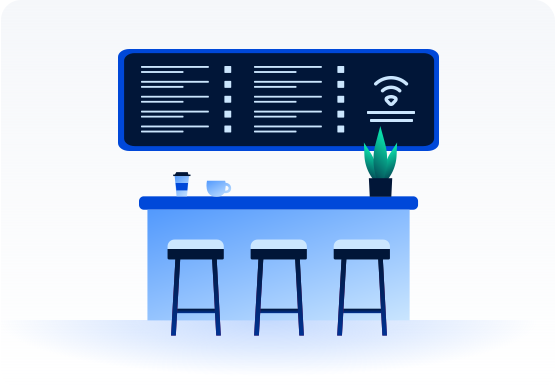
Unsafe Wi-Fi attacks
Attackers use weak or fake public Wi-Fi to intercept traffic between your device and the internet.
Session hijacking
Targets an active login session, allowing an attacker to take over access without needing your password again.
SSL stripping
Forces a connection away from secure HTTPS protection so traffic is easier to intercept or read.
Spoofed connections
Uses fake network names, deceptive pages, or altered connection details to make an unsafe connection look real.
A man-in-the-middle attack works by placing an attacker between your device and the service you’re using. While the setup can vary, the goal is usually the same — intercept the connection, collect useful data, and stay unnoticed.
01
Create an opening
The attacker creates a weak point, such as a fake Wi-Fi hotspot, a spoofed network, a compromised router, or a deceptive login page.
02
Draw the user in
The user connects, clicks, signs in, or browses as usual, often without realizing the connection is unsafe.
03
Intercept the traffic
Data moving between the user and the intended destination is captured or routed through the attacker first.
04
Read or change the data
The attacker can view passwords, payment details, or messages, and in some cases may change what is sent or received.
05
Stay unnoticed
If the page or connection still looks convincing, the attack can continue without obvious warning signs.
What are real examples ofman-in-the-middle attacks?
Man-in-the-middle attacks can happen in several real-world situations, often through insecure networks, fake trust signals, or software that weakens secure connections.
DigiNotar certificate breach — 2011
After the Dutch certificate authority DigiNotar was compromised, attackers were able to use fraudulent certificates to impersonate legitimate websites. The incident showed how much damage can happen when users can no longer trust that a secure-looking connection is really secure.
Superfish on Lenovo devices — 2015
Superfish drew major criticism because it weakened secure web browsing by installing its own root certificate. This made encrypted traffic easier to intercept, showing how unsafe software can create man-in-the-middle risk even when users think they are browsing securely.
Fake public Wi-Fi hotspots — ongoing
Attackers still use fake or poorly secured Wi-Fi hotspots in public places to capture traffic or lure users into unsafe connections. These cases remain relevant because they depend on ordinary behavior — connecting quickly, trusting a familiar-looking network name, and getting on with the day.
What are the risks and impacts of a
man-in-the-middle attack?
A man-in-the-middle attack targets information while it’s being sent. This means private data can be exposed without the clear warning signs people often expect with a device infection.
Stolen logins
Attackers may capture usernames, passwords, or session data, allowing them to access important accounts without needing to log in again.
Financial exposure
Payment details, banking sessions, or shopping information may be intercepted, increasing the risk of unauthorized transactions or fraud.
Privacy loss
Messages, browsing activity, or other sensitive data can be exposed to attackers, reducing your privacy without obvious signs.
Changed content
In some cases, attackers can alter pages, downloads, or information in transit, which can lead to misleading information or unsafe files.
Who is most at risk from man-in-the-middle attacks?
People are more at risk from man-in-the-middle attacks when they rely on shared networks, move between locations often, or regularly handle sensitive information online.
Public Wi-Fi users
People who regularly connect in cafés, airports, hotels, or other shared spaces face more exposure to unsafe or fake networks where traffic can be intercepted.
Remote workers
Signing in to work tools and shared services from different locations can expose more data if the connection is not secure.
Frequent travelers
Travel often involves public networks, unfamiliar connection prompts, and quick logins, all of which can increase the chance of interception.
Small businesses
Smaller teams may not always have strong network controls or staff awareness in place, making unsafe or suspicious connections easier to miss.
How can you protect yourself from man-in-the-middle attacks?
Protecting yourself from man-in-the-middle attacks starts with avoiding unsafe connections and paying attention to how your data is being sent. Because these attacks rely on weak networks or deceptive connection setups, a few practical habits can significantly reduce your risk.
Be careful on public Wi-Fi
Take caution before using open or unfamiliar networks, especially for activities involving passwords, banking, or sensitive work.
Check for secure websites
Look for HTTPS in the address bar and pay attention if your browser warns that a site is not private or secure.
Avoid sensitive logins on shared networks
Don’t sign in to important accounts on a connection you do not fully trust, especially in public or shared environments.
Keep your software updated
Updates help fix known security issues in browsers, operating systems, and apps that attackers may try to exploit.
How security tools help reduce man-in-the-middle risk on Mac
Man-in-the-middle attacks often depend on unsafe connections, fake trust signals, or deceptive pages. Security tools can reduce related risks in different ways, especially when paired with careful browsing habits.
Safer browsing
Real-time Mac antivirus protection can help warn about suspicious pages, unsafe downloads, or malware that may expose passwords, payment details, or private files.
Warnings about insecure pages, certificate problems, or unusual browser behavior can help you avoid entering passwords or payment details on unsafe connections.
It can be serious because an attacker may be able to see or interfere with private information while it is being sent. Depending on the situation, this can include passwords, payment details, messages, or active sessions tied to important accounts. Because the attack often happens silently, people may not realize anything is wrong until after their information has been misused.
Yes. If an attacker can intercept an unsafe or weakened connection, they may be able to capture usernames, passwords, or session data. In some cases, they don’t need the password itself to take over an active session. This is why secure browsing and trusted connections play an important role.
Not always. Some man-in-the-middle attacks rely on unsafe Wi-Fi, fake hotspots, compromised certificates, or deceptive websites rather than malware installed on the device itself. The risk often comes from how the connection is handled, not just what is on the Mac. That’s why it matters to check Wi-Fi names, browser warnings, HTTPS, and unexpected login prompts before you sign in.
Yes. A Mac can still be exposed if it connects through an unsafe network, visits a deceptive page, or relies on a weakened secure connection. While macOS includes built-in protections, these attacks target data in transit rather than the device itself. A VPN encrypts the data sent between your Mac and the VPN server, which can reduce exposure on public or shared Wi-Fi, but it still won’t protect you from fake websites or every unsafe login prompt.
Reducing risk starts with avoiding unsafe Wi-Fi, paying attention to browser warnings, and using secure websites. It also helps to keep your software updated and avoid sensitive logins on connections you do not trust. These checks matter because many man-in-the-middle attacks rely on rushed decisions, like joining a lookalike Wi-Fi network, ignoring a browser warning, or signing in before checking that the connection is secure.
Not always, but public Wi-Fi carries more risk than a trusted private connection. Shared networks make it easier for attackers to create fake hotspots, copy familiar network names, or exploit weak security. Before you connect or sign in, check the network name, watch for browser warnings, and use a VPN to encrypt the data sent between your Mac and the VPN server. Avoid entering passwords or payment details on connections you don’t trust.
Intego
Trusted. Proven. Powerful.
Driven by innovation for over 25 years, Intego has provided advanced cybersecurity solutions built to protect what matters most — your data, your privacy, and your devices.
With award-winning antivirus, firewall, VPN, and system optimization tools, Intego combines powerful defense with the simplicity and reliability Mac and PC users expect.