What is formjacking, and how can you stay safer?

  • Formjacking steals information entered into compromised online forms

  • Malicious code can hide inside a normal-looking checkout page

  • Your payment can still go through while your card details are stolen

  • Safer browsing habits and strong device protection reduce related risks

What is formjacking?

Formjacking is a cyberattack in which criminals add malicious code to a website to steal information people enter into an online form. It most often targets checkout pages, but attackers can also compromise login, account registration, booking, and contact forms. The website and form may continue working normally, making the attack difficult to notice.

When you submit the form, the information can be sent both to the legitimate website and to a server controlled by the attacker. This means your order or account request may go through as expected even though your details have been stolen. Formjacking usually begins with a security problem on the website or in one of the third-party scripts it uses. It isn’t necessarily caused by malware on your Mac, and security software on your device can’t guarantee it will detect every compromised form.

Checkout formjacking

Attackers compromise a payment page and copy card numbers, security codes, billing addresses, and other checkout information as customers enter it.

Login formjacking

A malicious script captures usernames, passwords, or account details entered into a compromised login form. This can lead to account takeover.

Third-party script attacks

Instead of attacking the main website directly, criminals compromise a service, plugin, chatbot, analytics tool, or other script loaded by multiple websites.

Fake payment forms

Attackers may replace or overlay part of a real checkout page with a fraudulent form that sends payment information to them.

Contact formjacking

Attackers capture information submitted through contact, support, or quote request forms. This can expose personal details, business information, or other sensitive data.

How does formjacking work?

A formjacking attack usually changes only a small part of the affected page. The website may look and behave normally while hidden code copies the information visitors submit.

01

Attackers find access

The attackers exploit a website vulnerability, steal an administrator’s credentials, compromise a third-party service, or gain access through an outdated plugin or poorly protected account.

02

Malicious code is added

They insert a small piece of JavaScript into a checkout page or another page containing a form. The code is designed to run in visitors’ browsers.

03

A visitor enters information

You visit the legitimate website and fill out the form as usual. There are often no signs that the page has been compromised.

04

The details are copied

When you submit the form, the hidden script copies selected information and sends it to the attacker while also sending it to the website.

05

The form still works

The website still receives your information, so your payment or request usually goes through. Because nothing seems wrong, the attack can continue without being noticed.

What are real-world examples of
formjacking?

Formjacking is often linked to attacks by Magecart, also known as digital skimming or e-skimming. These attacks show how hidden JavaScript can steal payment information from legitimate websites without customers noticing.

British Airways, 2018

Attackers modified a script on the British Airways website and app to copy customers’ personal and payment information during bookings. The malicious code operated from August 21 to September 5, and British Airways initially reported that around 380,000 payment cards had been affected.

Ticketmaster UK, 2018

Ticketmaster UK discovered malicious code in a customer support chatbot provided by a third-party company called Inbenta. The chatbot was used during the checkout process, allowing the code to capture personal and payment information entered by customers. The attack showed that criminals can steal data by compromising a trusted third-party service instead of hacking the website itself.

Newegg, 2018

Researchers discovered malicious code on Newegg's checkout page that copied payment information as customers completed their purchases. The stolen data was sent to an attacker-controlled domain that closely resembled Newegg's real website, making the attack harder to detect. Because the checkout process still worked normally, customers often didn't realize their card details had been stolen until later.

What are the risks and impacts
of formjacking?

Formjacking can affect both the people submitting information and the business responsible for the compromised website.

Card fraud

Attackers can use stolen card numbers, expiry dates, and security codes to make unauthorized purchases or sell them to other criminals.

Identity theft

Criminals can use stolen names, addresses, phone numbers, email addresses, and other personal information to impersonate victims, target them with scams, or try to open accounts in their names.

Account takeover

Attackers can use stolen usernames and passwords to access email, shopping, banking, and other online accounts. They can often access multiple accounts if the victim reused the same password.

Business damage

Affected companies may face breach investigations, regulatory penalties, payment disputes, recovery costs, and a loss of customer trust.

Who is most at risk from
formjacking?

Anyone entering information into an infected form can be affected, but some visitors and businesses face greater exposure.

How can you protect yourself from
formjacking?

You can't check every script running on a website, but you can lower your risk by following a few simple precautions.

Choose retailers carefully

Use retailers you recognize and type known addresses directly when possible. This can’t rule out formjacking, but it helps you avoid fake stores and suspicious checkout links.

Use safer payment options

When available, use a digital wallet such as Apple Pay, which uses tokenized payment details instead of sharing your actual card number with the retailer.

Watch your accounts

Turn on purchase alerts and review card and bank statements regularly. Report unfamiliar payments promptly, even when the amount appears small.

Avoid reusing passwords

Create a strong unique password for every important account. A password manager makes this easier and limits the damage if attackers steal your login details.

Keep your Mac protected

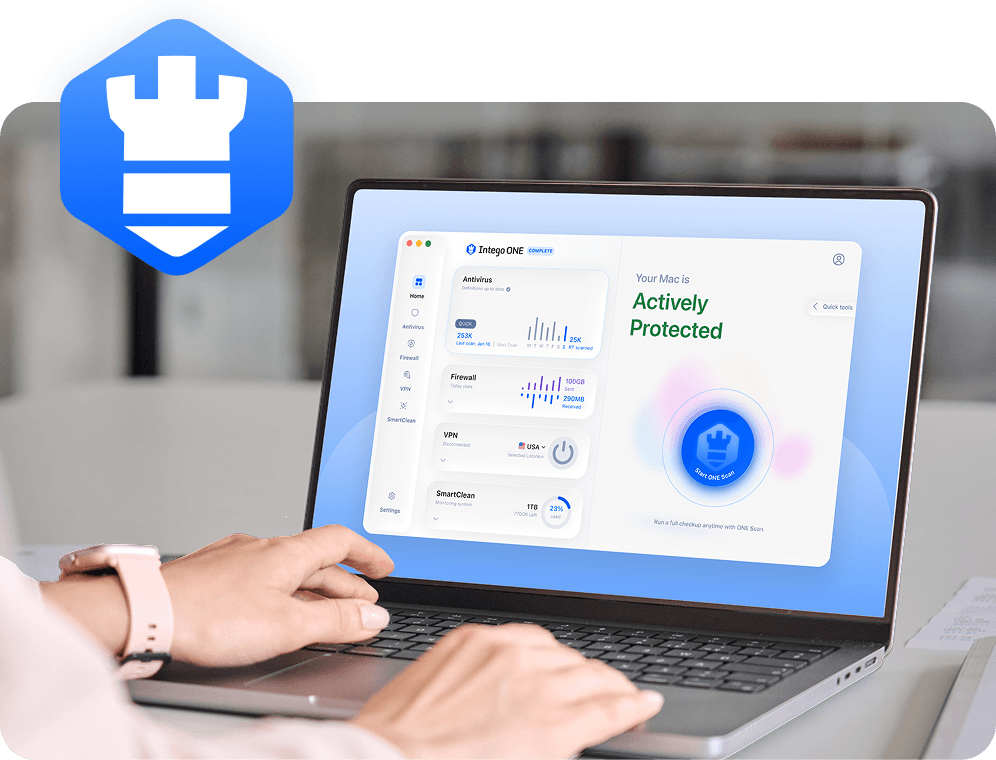
Keep macOS and your browser up to date, avoid suspicious downloads, and use trusted security software such as Intego ONE to help detect malware that may accompany phishing or follow-up attacks.

How Mac protection supports safer online shopping

Antivirus software can’t reliably detect formjacking code running on a compromised website because the code isn’t necessarily on your Mac. It can, however, help protect against related malicious downloads and malware delivered through phishing emails or follow-up scams. It’s a supporting layer, not direct formjacking prevention.

Real-time protection

Intego ONE Antivirus checks files as they're opened or added to your Mac. It helps block known malware before it can run.

Download scanning

Scan attachments, installers, and other downloads that arrive through fake receipts, delivery notices, account warnings, or follow-up scams.

Flexible malware scans

Run quick, full, custom, or scheduled scans to check your Mac for known malware that may have arrived through a suspicious download.

Quarantine detected threats

When known malware is detected, Intego isolates the file so it can’t be opened or make further changes while you review it.

Frequently asked questions

Intego

Trusted. Proven. Powerful.

Driven by innovation for over 25 years, Intego has provided advanced cybersecurity solutions built to protect what matters most — your data, your privacy, and your devices.

With award-winning antivirus, firewall, VPN, and system optimization tools, Intego combines powerful defense with the simplicity and reliability Mac and PC users expect.

Money Back Guarantee Image

Get total protection and peak performance for your computer