Browser hijacking is when unwanted software, malware, or a risky browser extension changes your browser settings without you realizing it. It may change your homepage, default search engine, new tab page, bookmarks, or redirect searches and links to unfamiliar websites.
On a Mac, browser hijacking can affect Safari, Chrome, Firefox, Edge, and other browsers. Some hijackers mainly push ads or redirect traffic, while others track browsing activity, promote scam pages, or come bundled with more serious threats. Browser hijacking is closely related to adware or unwanted software that tries to control part of the browsing experience.
Search hijacking
Your searches are redirected through an unfamiliar search engine or extra redirect pages. Results may include more ads, sponsored links, or misleading websites.
Homepage changes
Your browser homepage or new tab page changes unexpectedly and may keep switching back after you try to reset it.
Extension hijacking
A browser extension changes search, tab, or browsing behavior. Some extensions look useful at first but later start redirecting traffic or showing ads.
Bundled software
A free app or installer quietly adds extra browser tools during setup. These additions may change browser settings, inject ads, or become difficult to remove.
Browser hijacking usually starts when a download, extension, or setup screen changes browser settings during installation. In many cases, the changes are hidden inside bundled software, fake updates, or misleading permission requests.
01
The user installs something
A free app, fake update, browser extension, or bundled installer is added to the Mac. The browser changes may not be obvious during setup.
02
Browser settings change
The hijacker changes the homepage, new tab page, default search engine, or browser permissions. Some settings may switch back again after you try to fix them.
03
Searches get redirected
Searches or typed web addresses may redirect through unfamiliar pages before loading results. This can push ads, sponsored links, or misleading websites into your browsing.
04
More tracking may start
Some hijackers collect browsing data, search terms, or site activity. Not every hijacker steals sensitive information, but unwanted tracking can still affect privacy and browsing safety.
05
Removal becomes harder
The hijacker may hide inside an extension, configuration profile, login item, or installed app. That is why resetting the homepage alone may not fully remove the problem.
What are real-world examples of browser hijacking?
Browser hijacking often appears as an everyday browser problem at first. Search redirects, fake updates, and unwanted extensions can change browser behavior on a Mac without triggering a traditional malware warning.
Search redirect hijackers, 2024
In 2024, Mac users continued to report browser searches being redirected through unfamiliar pages before landing on Yahoo, Bing, or another search engine. In many cases, the search engine was not the source of the problem. The real issue was usually an unwanted extension, profile, or app that kept restoring the hijacker’s preferred search settings.
Search Marquis redirects, ongoing
Search Marquis is a long-running Mac browser hijacker that continues to appear in recent removal guidance and user reports. It commonly spreads through bundled downloads, fake installers, and unwanted browser changes. Once active, it can redirect Safari or Chrome searches through unfamiliar pages before loading results, while also changing homepage and new tab behavior. Many users find it difficult to remove because unwanted settings may return after reset attempts.
Malicious Chrome extensions, 2025
In 2025, researchers found more than 100 fake websites and malicious Chrome extensions impersonating legitimate tools. Google later removed the extensions. While this campaign went beyond simple browser hijacking, it shows why extensions deserve caution: a tool that looks useful can gain browser permissions, collect data, and interfere with the way people browse.
What are the risks and impacts of browser hijacking?
Browser hijacking is not usually as destructive as ransomware or spyware, but it can still affect privacy, security, and day-to-day browsing.
Unwanted redirects
Hijackers can send searches, links, or new tabs through pages you did not choose, increasing exposure to ads, scams, or unsafe websites.
Privacy concerns
Some hijackers collect browsing activity, search terms, or clicked links. Even limited tracking can feel invasive when it happens in the background without the user realizing it.
More scam exposure
Redirects and pop-ups may lead to fake support alerts, suspicious downloads, prize scams, or pages designed to pressure you into installing more software.
Harder cleanup
Changing browser settings may not be enough if the hijacker is tied to an extension, installed app, configuration profile, or login item.
Who is most at risk from browser hijacking?
Browser hijacking is more likely when extensions, downloads, and browser tools are added without checking the source carefully.
Extension users
People who install many browser extensions are more exposed to add-ons with broad permissions, misleading reviews, or extensions that later start showing ads or redirects.
Free app downloaders
Users who download free utilities, converters, media tools, or installers from unfamiliar websites are more likely to encounter bundled browser changes or unwanted add-ons.
Shared Macs
On shared Macs, one person may install an extension or app that changes browser settings, search behavior, or homepage preferences for other users as well.
Heavy browser users
People who use lots of browser tools, extensions, and tabs may take longer to notice when search results, homepage settings, or new tab behavior quietly change.
How can you protect yourself from browser hijacking?
The best protection is to be careful about what gets added to your browser and to check unexpected changes early. Checking extensions, downloads, and browser settings regularly can make browser hijacking easier to spot and remove before it becomes more persistent.
Check extensions carefully
Only install extensions you trust. Remove add-ons you no longer use, especially those with broad permissions, unclear ownership, or very few reviews.
Download from trusted sources
Download apps from reliable websites and avoid fake updates, cracked apps, and installers that try to add extra browser tools.
Review browser settings
Check your homepage, new tab page, default search engine, and site permissions if your browser starts behaving differently.
Remove suspicious profiles
On macOS, unwanted configuration profiles can sometimes control browser or network settings. Remove profiles you do not recognize or no longer need.
Run antivirus scans
Trusted Mac antivirus protection can help detect browser hijackers, unwanted apps, risky downloads, and related malware that may affect browser behavior.
How Intego helps protect your Mac from browser hijackers
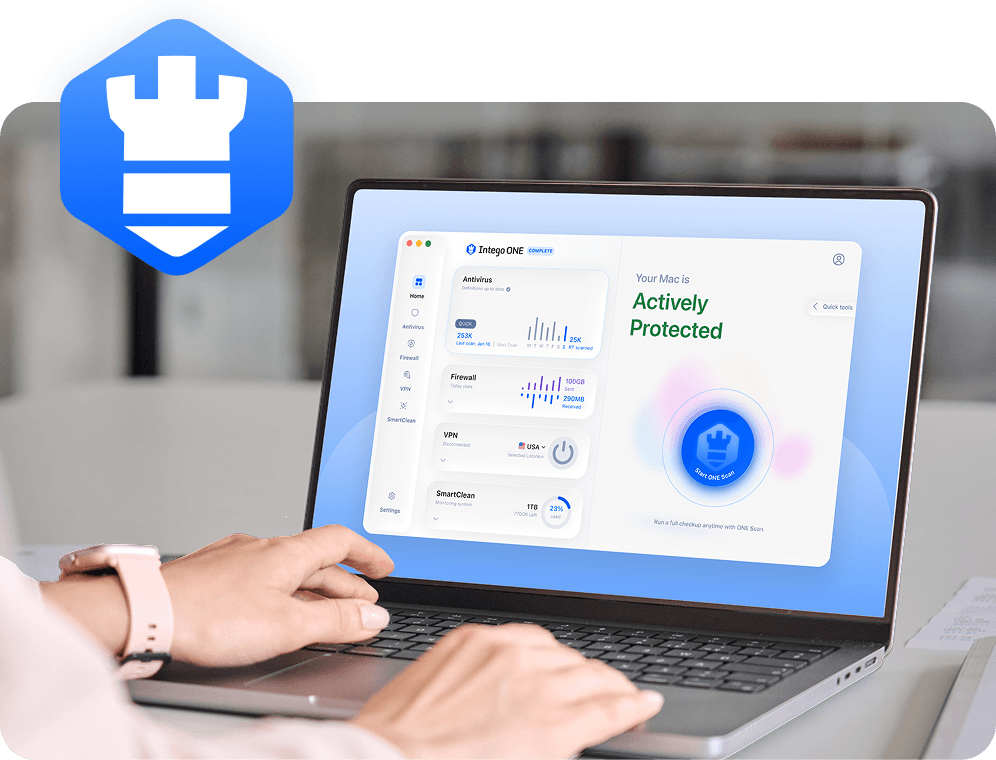
Browser hijacking often starts with fake installers, unwanted extensions, bundled software, or malware. Intego helps reduce those risks by detecting suspicious files earlier, warning you about unusual app connections, and making it easier to spot software that shouldn’t be changing your browser settings.
Real-time protection helps catch suspicious downloads, bundled software, and fake installers before they make unwanted changes to your browser or system settings.
Browser hijacking is when unwanted software, malware, or a risky extension changes your browser settings without your clear permission. It may affect your homepage, default search engine, new tab page, redirects, or browser add-ons. Some browser hijackers mainly redirect searches or push ads, while others track browsing activity or expose users to scam pages and unsafe downloads.
Common warning signs include a changed homepage, unfamiliar search engine, constant redirects, new toolbars, extra ads, or browser settings that keep changing back after you fix them. You may also notice extensions you don’t remember installing, slower browsing performance, or tabs opening pages you didn’t choose.
Yes. Browser hijacking can affect Safari as well as Chrome, Firefox, Edge, and other browsers. On a Mac, the cause may be a risky extension, unwanted app, bundled installer, or configuration profile. Some hijackers repeatedly restore unwanted search or homepage settings even after the user changes them back manually.
Not exactly, but they often overlap. Browser hijackers change browser behavior, while adware focuses on showing unwanted ads. Many browser hijackers also act like adware by redirecting searches, adding sponsored links, or pushing pop-ups designed to generate revenue or collect browsing data.
Start by removing suspicious browser extensions, checking your homepage and search settings, deleting unfamiliar apps, and reviewing configuration profiles on your Mac. It also helps to reset browser permissions. After cleanup, run an antivirus scan to look for unwanted software or malware that may still be affecting browser behavior.
Intego ONE can help detect and remove browser hijackers, unwanted apps, and malware that may be affecting your Mac. Some browser changes may also need to be reset manually in Safari, Chrome, or another browser. Intego’s tools can also help identify suspicious downloads and software linked to unwanted browser changes.
Intego
Trusted. Proven. Powerful.
Driven by innovation for over 25 years, Intego has provided advanced cybersecurity solutions built to protect what matters most — your data, your privacy, and your devices.
With award-winning antivirus, firewall, VPN, and system optimization tools, Intego combines powerful defense with the simplicity and reliability Mac and PC users expect.