Domain hijacking explained: How to protect your domain

  • Attackers can redirect your website, email, and online services

  • Stolen credentials aren’t the only way domains get hijacked

  • Registrar locks and strong account security reduce the risk

  • Fast action can limit disruption and support domain recovery

What is domain hijacking?

Domain hijacking happens when someone takes control of a domain name without the owner’s permission. An attacker may gain access to the domain owner’s registrar account, transfer the domain to another account, or change its Domain Name System (DNS) settings. These changes can send visitors to a fake website, disrupt email, or give the attacker control over services linked to the domain.

A domain is more than a website address. A business may also use it for email, customer accounts, online payments, cloud tools, and password resets. If someone hijacks the domain, several services may stop working or fall under their control. Mac users who run a website or small business can still be affected because attackers target the online accounts used to manage the domain, not the Mac itself.

Registrar account takeover

An attacker signs in to the account used to manage the domain, then changes its ownership, contact information, nameservers, or transfer settings.

DNS record hijacking

The attacker changes DNS records so that website visitors or emails are sent to systems under the attacker’s control instead of their intended destination.

Expired domain takeover

A domain that isn’t renewed may eventually become available for someone else to register. The new owner can then misuse its previous reputation or email addresses.

Subdomain takeover

An outdated DNS record may still point to a cloud or hosting service that’s no longer being used. An attacker claims that abandoned resource and controls the affected subdomain.

Reverse domain hijacking

Reverse domain hijacking isn’t a technical cyberattack. It usually describes someone misusing a trademark dispute process to try to take a legitimately registered domain from its owner.

How does domain hijacking work?

The exact method varies, but most domain hijacking attacks involve gaining control of a registrar, hosting, DNS, or administrative account and then making unauthorized changes.

01

The attacker finds an entry point

The attacker identifies the registrar, hosting provider, DNS service, administrator, or email account connected to the domain.

02

They bypass account security

They may steal a password through phishing, malware, reused passwords, or other scams. They could also steal an active login session or take advantage of a weak account recovery process.

03

Domain settings are changed

The attacker may change the domain’s contact details, DNS records, nameservers, transfer settings, or account recovery information. These changes help them gain or keep control.

04

Traffic or email is redirected

The attacker may send website visitors to a fake page. They may also redirect, intercept, or stop emails sent through the domain.

05

The attacker exploits the domain

The attacker may use the domain for phishing, malware, payment fraud, data theft, or impersonation. They may also demand money before returning it.

What are real-world examples of
domain hijacking?

Domain hijacking can involve changing a domain’s DNS settings or taking control of a subdomain. These incidents show how attackers can redirect website visitors, steal login details, spread malware, and damage trust in an organization.

Sea Turtle campaign, 2019

Cisco Talos reported that the Sea Turtle campaign compromised domain registrars, DNS providers, and other organizations. The attackers changed DNS records to send users to servers they controlled, where they could steal login details. Cisco identified at least 40 affected organizations across 13 countries, including government agencies, telecommunications companies, and internet service providers.

Brazilian bank attack, 2016

Attackers reportedly changed the DNS settings for 36 domains belonging to a Brazilian bank. Customers who entered the bank’s real web addresses were sent to convincing fake websites designed to steal login details and install malware. The bank regained control after about five to six hours. The incident showed how one DNS takeover could affect many online services at once.

Hazy Hawk subdomains, 2025

Infoblox researchers found that Hazy Hawk had taken control of abandoned cloud resources connected to subdomains belonging to organizations such as Bose, Panasonic, and the US Centers for Disease Control and Prevention. The group used these trusted-looking subdomains to redirect visitors to scams and malware. The organizations’ main domains weren’t stolen.

What are the risks and impacts
of domain hijacking?

A hijacked domain can affect the website, email, and other services connected to it. The damage may continue even after the rightful owner regains control.

Website disruption

Visitors may see an attacker’s page, a fake login screen, malicious content, or an error instead of the organization’s real website.

Email interception

Attackers may change the domain’s email settings and redirect incoming messages. This could expose password-reset links, customer messages, or private business information.

Customer fraud

Attackers can exploit the trusted domain to collect passwords, payment details, personal information, or downloads from customers who believe the site is legitimate.

Reputation damage

Customers may lose trust in the organization, while search rankings, email deliverability, business operations, and partner relationships can also be affected.

Who is most at risk from
domain hijacking?

Attackers can target any domain. However, they often focus on domains that give them access to many users, payments, emails, or valuable online services.

How can you protect yourself from
domain hijacking?

The strongest domain hijacking protection combines registrar safeguards, secure administrator accounts, careful DNS management, and a recovery plan prepared before anything goes wrong.

Secure your registrar account

Use a unique password and phishing-resistant multi-factor authentication where available. Don’t share one account between several employees or contractors.

Enable domain locks

Turn on registrar or transfer locks to prevent unauthorized transfers. Owners of high-value domains should ask whether stronger registry-lock protection is available.

Protect the connected email

Secure the email account used for registrar notices and password recovery. Avoid using an address that becomes inaccessible when the domain itself is disrupted.

Watch for domain changes

Enable alerts for sign-ins, DNS edits, contact changes, renewal activity, and transfer requests. Investigate unexpected notifications immediately instead of dismissing them.

Keep records current

Maintain accurate ownership details, renew domains early, remove abandoned DNS entries, and document the registrar, registry, DNS provider, and authorized administrators.

How Intego supports safer domain management on Mac

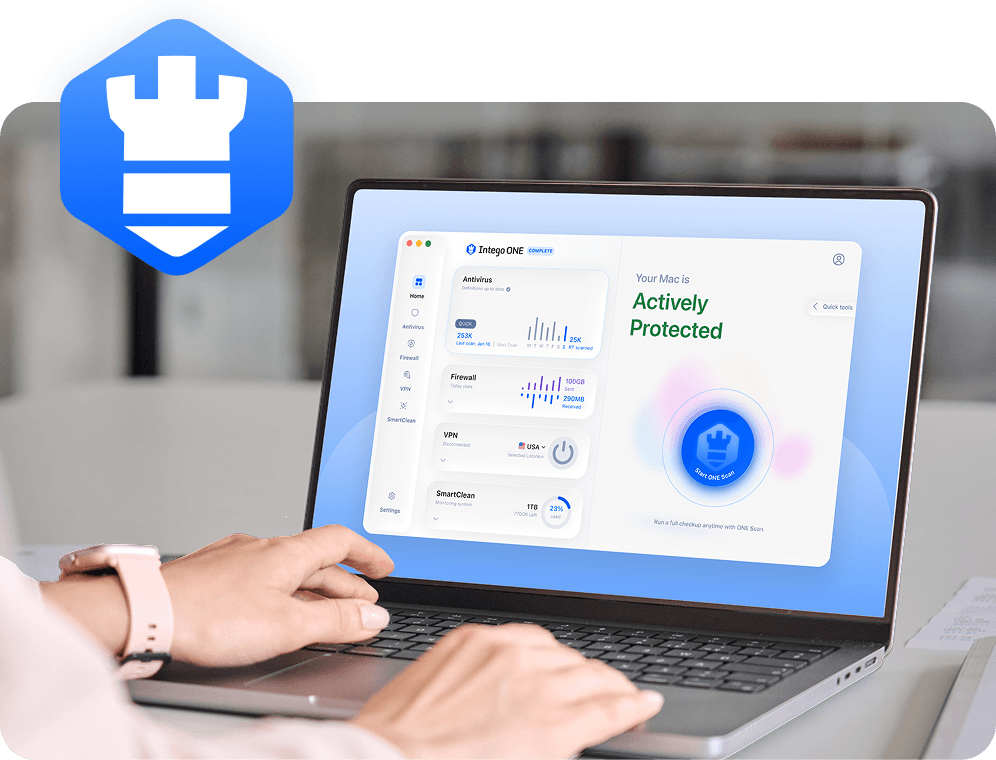
Intego ONE can’t lock your domain or stop someone from breaking into your registrar. However, it can help protect the Mac you use to access your domain, DNS, hosting, and business email accounts.

Detect known malware

Intego ONE Antivirus can detect and quarantine known Mac malware that may attempt to steal information, monitor activity, or compromise files on your device.

Scan suspicious downloads

Real-time and manual scans can find known malicious files downloaded from phishing emails, fake support pages, or compromised websites.

Control app connections

Intego ONE’s Smart Firewall shows you how apps connect to the internet. You can use it to identify and block connections you don’t recognize.

Encrypt your connection

Intego ONE Complete includes a VPN that encrypts the connection between your Mac and the VPN server. This is especially useful when you’re managing your domain on an untrusted network.

Frequently asked questions

Intego

Trusted. Proven. Powerful.

Driven by innovation for over 25 years, Intego has provided advanced cybersecurity solutions built to protect what matters most — your data, your privacy, and your devices.

With award-winning antivirus, firewall, VPN, and system optimization tools, Intego combines powerful defense with the simplicity and reliability Mac and PC users expect.

Money Back Guarantee Image

Get total protection and peak performance for your computer