Cryptojacking is a cyberattack where someone uses your Mac’s processing power to mine cryptocurrency without your permission. Cryptocurrency mining uses computing power to help verify crypto transactions. When cryptojacking happens, your Mac ends up doing that work for someone else.
Cryptojacking can happen through hidden website scripts, malicious browser extensions, unwanted software, or malware installed on your Mac. Some mining activity only runs while a browser tab is open, while other threats continue running in the background until the software is removed.
Browser-based cryptojacking
A website or ad runs hidden mining code in your browser. It usually stops when you close the tab, but it can still cause high CPU use, fan noise, and slower browsing while active.
Malicious extensions
A browser extension may include hidden mining code or misuse your Mac’s resources in the background. This can make browsing feel slower and it may be difficult to trace back to a single extension.
Unwanted software
Some apps or bundled installers may run crypto-mining processes without making that clear. These programs may use vague names or install extra components alongside the main app.
Cryptomining malware
Malware-based cryptojacking installs code that keeps running in the background. This can lead to more persistent slowdowns, heat, battery drain, and unusually high CPU activity.
Cryptojacking works by using your Mac’s processing power to mine cryptocurrency without your permission. Depending on the type of attack, the mining activity may run in a browser tab or continue in the background through installed software.
01
Hidden code arrives
A mining script or malicious program reaches your Mac through a compromised site, fake download, unsafe extension, or bundled installer.
02
Mining starts running
The code uses your CPU to perform crypto-mining calculations in the background, often without any clear warning that it’s active.
03
Performance changes
Your Mac may feel slower, the fan may run more often, the battery may drain faster, and browser tabs may become less responsive.
04
Mining rewards go elsewhere
The cryptocurrency generated by the mining activity goes to the attacker, while your Mac handles the extra workload.
05
The activity continues
Browser-based cryptojacking may stop when you close the tab, but installed malware or unwanted software can keep running until it’s removed.
What are real-world examples of cryptojacking?
Cryptojacking can appear through websites, browser extensions, or apps that seem harmless at first. In many cases, the first signs are performance problems, high CPU use, louder fan noise, or battery drain that suddenly feels excessive.
Coinhive website mining, 2018
Thousands of websites were found running hidden Coinhive mining scripts that used visitors’ CPUs to mine Monero cryptocurrency. In some cases, the code appeared on compromised sites without the owner’s knowledge. Users often noticed Safari slowing down, louder fan noise, or unusually high CPU activity while the affected page was open.
Fake Flash installer, 2018
Security researchers discovered fake Adobe Flash installers that secretly installed XMRig cryptomining malware alongside real Flash updates. The miner quietly used system resources in the background, which could make Macs and PCs feel hotter, slower, or louder than usual without obvious signs of typical malware activity.
Pirated Mac apps, 2023
Researchers identified cryptojacking malware hidden inside pirated macOS applications. The malware installed crypto miners that continued running in the background after the app was opened. Users experienced slower performance, persistent fan activity, higher CPU usage, and faster battery drain.
What are the risks and impacts of cryptojacking?
Cryptojacking mainly affects how your Mac performs. Even though it doesn’t steal files directly, it can still slow your system down, drain your battery, and leave your Mac exposed to malware or other unwanted software.
Slower performance
Cryptojacking can make apps, browsers, and daily tasks feel slower because your Mac is using processing power for hidden mining activity in the background.
Battery drain
On a Mac, hidden mining activity can use more power than expected, causing the battery to drain faster during normal browsing, streaming, or work.
Heat and fan noise
Higher CPU activity can make your Mac run warmer and cause the fan to turn on more often, especially during lightweight tasks that normally wouldn’t strain the system.
Hidden malware risk
If cryptojacking comes from installed malware, the same download may also expose your Mac to additional security or privacy risks.
Who is most at risk from cryptojacking?
Cryptojacking often depends on everyday browsing habits, browser extensions, and unsafe downloads. People are more likely to run into it when they install untrusted software, ignore unusual system behavior, or spend time on unfamiliar websites.
Frequent web users
People who keep many tabs open or spend long periods browsing may not immediately notice when one site starts using far more CPU than normal.
Extension-heavy browsers
Users who install many browser extensions are more exposed to hidden mining activity, risky permissions, or poorly reviewed add-ons running in the background.
Unofficial app downloaders
People who download free utilities, cracked apps, or media tools from unfamiliar sites are more likely to encounter bundled unwanted software or hidden miners.
Older Macs
Older Macs may show the effects of cryptojacking sooner because hidden mining activity consumes a larger share of the available system resources.
How can you protect yourself from cryptojacking?
Cryptojacking often depends on unsafe downloads, risky browser extensions, or background activity that goes unnoticed. A few simple habits can make it harder for mining software or malicious scripts to keep using your Mac’s resources.
Use trusted downloads
Download apps from trusted sources and avoid cracked software, fake utilities, and installers that bundle extra tools you didn’t ask for.
Review browser extensions
Remove extensions you no longer use and be cautious with add-ons that ask for broad website access, browsing permissions, or persistent background activity.
Check unusual slowdowns
Pay attention to sudden fan noise, heat, battery drain, or slower browsing. Activity Monitor can help identify apps or processes using high CPU resources.
Keep software updated
Install macOS, browser, and app updates regularly. Updates can close security gaps that hidden mining scripts, malicious extensions, or unwanted software may try to abuse.
Run antivirus scans
Trusted Mac antivirus protection can help detect cryptomining malware, suspicious downloads, and other threats that may be running quietly in the background.
How Intego helps protect your Mac from cryptojacking
Cryptojacking can come from malicious downloads, risky extensions, unwanted software, or hidden background processes. Intego helps by detecting suspicious files, monitoring unusual activity, and giving you better visibility into what’s running on your Mac.
Cryptojacking is when someone uses your Mac’s processing power to mine cryptocurrency without your permission. It can happen through hidden website scripts, browser extensions, unwanted apps, or malware. Some cryptojacking only affects your browser while a tab is open, while more persistent mining activity can continue after software has been installed on your Mac.
Cryptojacking can make your Mac feel slower, warmer, louder, or less responsive because hidden mining activity uses system resources in the background. On a MacBook, it may also drain the battery faster during browsing, streaming, or work. Some users first notice the problem when the fan starts running harder than usual during tasks that don’t usually strain the system.
Not always. Some cryptojacking runs through a browser script and may stop when you close the tab. Other cryptojacking involves malware or unwanted software installed on your Mac. Browser-based mining scripts, risky extensions, bundled installers, and persistent cryptomining malware can all behave differently, even though they use your Mac’s resources for the same goal.
Common warning signs include sudden slowdowns, high CPU use, fan noise, unusual heat, fast battery drain, or browser tabs that become sluggish for no clear reason. These symptoms can appear during demanding tasks like gaming or video editing, but they’re suspicious when they happen during ordinary browsing or while only a few apps are open.
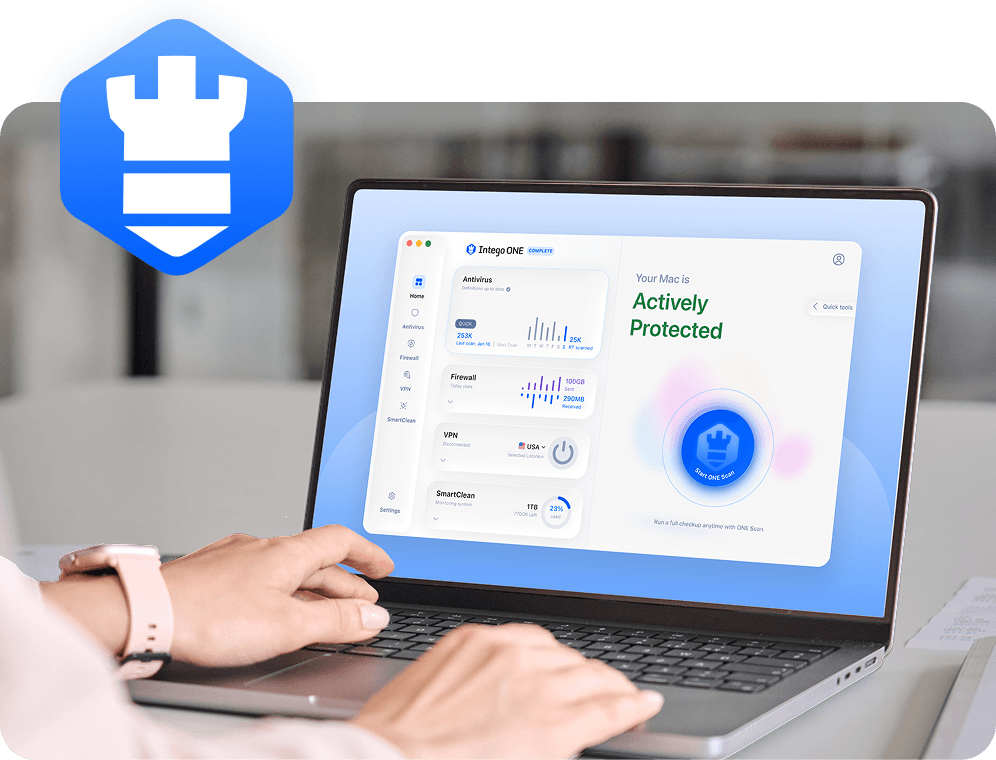
Intego ONE can help detect and remove malicious files and unwanted components associated with cryptomining malware. Browser-based cryptojacking often stops once you close the affected tab or remove a risky extension. Intego ONE also gives you Firewall alerts and SmartClean resource monitoring tools to help investigate unusual background activity.
Intego
Trusted. Proven. Powerful.
Driven by innovation for over 25 years, Intego has provided advanced cybersecurity solutions built to protect what matters most — your data, your privacy, and your devices.
With award-winning antivirus, firewall, VPN, and system optimization tools, Intego combines powerful defense with the simplicity and reliability Mac and PC users expect.