The free Wi-Fi at places like Schiphol Airport or Hoog Catharijne isn't always encrypted, which means other users could spy on your online activity. A VPN encrypts your internet traffic, keeping what you do online more private.
Limit what your ISP sees about your online activity
Dutch internet providers can gather information about your browsing habits and use it for advertising and analytics. When you connect to a VPN, your ISP might see that you're using a VPN, but not the websites you visit.
Choose the location sites see when you connect
Every website you visit sees an IP address, and some government and healthcare sites may only work if they see you’re connecting from the Netherlands. Using a Netherlands VPN gives you a Dutch IP address, which may help your usual home services work normally while you’re abroad.
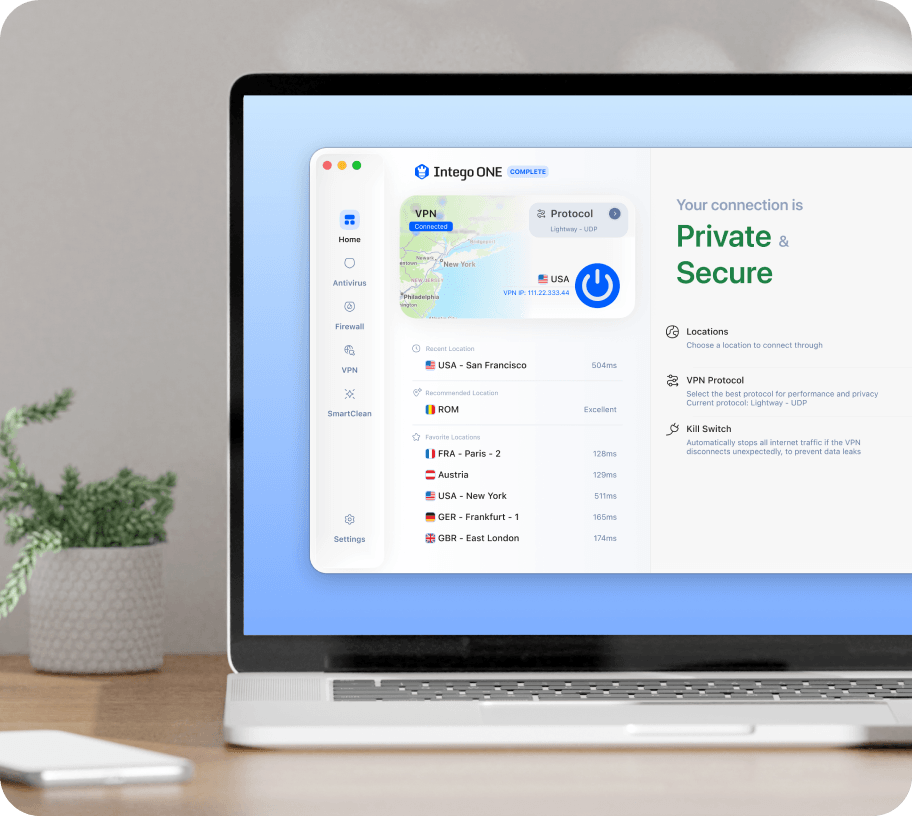
Intego ONE Complete offers a full security suite in one user-friendly Mac app, plus an iPhone security app.
Antivirus
Checks your Mac for malware, isolates anything suspicious, and lets you delete it, so a malicious download or attachment is less likely to cause damage.
Shows you which apps are trying to connect to the internet and lets you block the ones you don’t recognize or trust, so you stay in control of what your Mac connects to.
Deletes apps and their associated files to prevent unnecessary clutter from taking up space on your Mac. Lets you quickly free up RAM when your memory usage is too high.
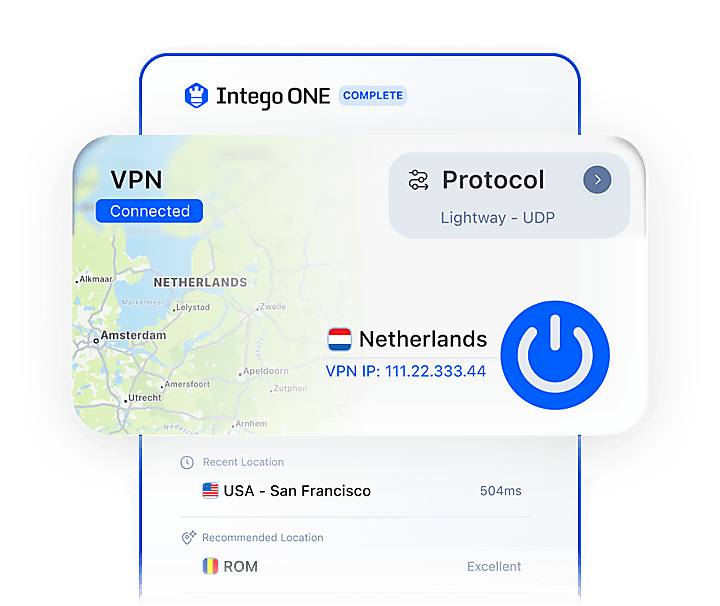
Encrypts your connection across public and private networks, adding extra privacy from your ISP and network snoopers. Lets you pick a Netherlands server in just a few clicks.
A VPN helps with privacy when browsing, banking, and gaming.
Catch live sports and other events while abroad
Match day arrives while you’re on a work trip abroad, and the streaming app you open at home is not available from your hotel. Connect to a Netherlands VPN server and your Mac or iPhone shows a Dutch IP address, so the service may treat your connection as if you were in the Netherlands.
Reduce content-based throttling while gaming
Your game runs fine for an hour, then it starts to lag, even though your network signal is still strong. This can happen when an internet provider slows down certain kinds of traffic. Turn on your VPN, so it encrypts your traffic, making it harder for your provider to tell a game from other online activities and slow it down.
Secure your connection while banking online
You’re paying a bill from an Airbnb or a coworking desk, but the Wi-Fi you’re using is open to others in that space. Your bank’s site already uses HTTPS to protect what you send. A VPN adds another layer of privacy on shared Wi-Fi, helping keep the sites and services you use out of sight.
Limit the data advertisers can use to track you
You search for one pair of sneakers, and suddenly every site you visit is showing you a nearby store that sells them. This usually happens because websites use your IP address as one signal to recognize you. Connecting to a VPN server swaps your real IP for the server’s, so that signal points to the VPN server instead of your home network.
Intego VPN sends the internet traffic leaving your Mac and iPhone through an encrypted tunnel, so anyone watching the network sees unreadable traffic heading to the VPN server rather than the sites you visit. On your Mac, enabling the kill switch blocks internet traffic if the VPN disconnects unexpectedly while switching networks, protecting your connection while it reconnects.
In the Netherlands, a lot of browsing, account logins, and payments happen across public networks that aren’t always secure.
99%
of Dutch people use the internet
Nearly everyone in the Netherlands is online, browsing, banking, shopping, and messaging across networks that might not always be protected.
80,000+
free Wi-Fi hotspots in the Netherlands
Free Wi-Fi is widely available across airports, train stations, and event venues, giving people plenty of opportunities to connect to networks outside of their control.
2 out of 3
Dutch vacationers use public Wi-Fi
Connecting to public Wi-Fi is often the easiest way to get online while out and about — checking directions, looking up restaurants, and keeping in touch.
Why this matters
From everyday banking and shopping to checking accounts while on vacation, your connection carries more than casual browsing. Keep those activities more private wherever you go.
Intego VPN encrypts your traffic and masks your IP address on your Mac and iPhone. Browse with more privacy at home, protect your connection on shared Wi-Fi, and use a Dutch IP address while traveling abroad.
Server locations matter, but so do privacy, support, and connection security. Here’s what to look for in a Netherlands VPN.
A clear no-logs policy
Look for a VPN provider that follows a strict no-logs policy that clearly explains what data it collects and doesn’t record your browsing activity or the websites you visit.
Connection security
Go with a VPN that includes a kill switch to help avoid exposing your traffic when moving between Wi-Fi networks or switching to mobile data.
Help whenever you need it
Pick a VPN that offers 24/7 support so you get help with setup, troubleshooting, and other VPN issues any time, any day.
Money-back guarantee
You shouldn’t have to decide based on features alone. Choose a VPN with a money-back guarantee, so you can try out the VPN yourself and see if it does what you need.
What to expect from a VPN
What a VPN does
Encrypts your connection on public Wi-Fi networks
Makes it harder for your ISP to see where you go online
Masks your real IP address from websites
Gives you server location options like the Netherlands
{"trustpilotBtnText":"Testimonials","techReviewsBtnText":"Reviews","hideCarousel":false,"selectedType":"testimonials","legalText":"We sometimes pay review sites to refer customers to us."}
Only if you specifically want a Dutch IP address. Intego VPN encrypts your connection whichever server location you choose. Pick a Dutch server to appear online in the Netherlands, or another nearby server for a fast connection.
First check that your normal internet connection works, then update or reopen the Intego ONE app and try again. If the Dutch location is still unavailable, contact Intego Support. Our team is available 24/7.
Using a VPN in the Netherlands is not illegal. However, a VPN doesn’t exempt you from the laws that apply to your online activities. You should still follow Dutch law and the terms of any services you use.
A Dutch VPN server gives you a Dutch IP address, which may help you access platforms that expect a Dutch connection. Some services may still ask for extra verification or block VPN connections.
When you turn on your VPN, it encrypts your internet traffic, making it harder for your internet service provider (ISP) to see the websites and services you use. Your ISP can still see that you’re connected to a VPN, when data is sent, and how much data you transfer.
Intego ONE supports Macs running macOS 12.4 or later, with an Intel or Apple Silicon processor, at least 8 GB of memory, and 2 GB of available storage.
Intego VPN uses fast, efficient protocols for everyday activities such as video calls and gaming. Because your traffic passes through an additional server, you may notice some delay depending on your network and the server location.
Yes, you should. Antivirus software protects your Mac from malware, while a VPN encrypts your internet traffic to help keep your online activity private. Intego ONE Complete includes both tools in the same Mac app, designed to work together.
Get Intego VPN
Intego ONE Complete includes a Netherlands VPN built for Mac and iPhone, plus antivirus, firewall, and cleanup tools for Mac.
 Browse with a Dutch IP address while traveling

 Notarized


 Encrypts your connection on public Wi-Fi networks
 Doesn't make you anonymous online