Public Wi-Fi can put your browsing privacy at risk
Shared Wi-Fi networks aren't always secure. Network operators and others monitoring the connection may be able to see which websites you access. A VPN encrypts your traffic, adding a layer of privacy that helps keep your online activity to yourself.
Your ISP can see where you go online
Your internet provider can often identify the websites and services you connect to. Routing your traffic through a VPN limits that visibility, so your ISP can see the VPN connection rather than your browsing destinations.
IP addresses can reveal your approximate location
Websites can use your public IP address to estimate your location and help track your activity across visits. With a VPN, websites see the server's IP address instead of yours, giving them one less way to recognize you online.
From working on shared Wi-Fi to accessing familiar services abroad, a VPN adds privacy and flexibility to your daily routine.
Work more privately on public Wi-Fi
Taking a video call from a café in Tel Aviv or sending emails from a hotel lobby in Jerusalem often means sharing Wi-Fi with people you don’t know. Switching on your VPN encrypts the traffic between your Mac and the VPN server, keeping the websites and services you’re using less visible to anyone monitoring the shared network.
Give advertisers one less way to track you
Comparing flights from Ben Gurion Airport or looking for hotels for your next getaway? Websites and advertisers can use your IP address to help link your visits across sites. A VPN masks that address, giving them one less way to track your browsing activity and target you with personalized ads.
Use home services while abroad
Whether you're working, studying, or traveling abroad, signing in to your Israeli banking, government, or streaming accounts may trigger extra checks or affect what you can access. Connecting to an Israel VPN server gives your Mac or iPhone an Israeli IP address, which may help you use familiar services while you're away.
Stay protected wherever your day takes you
From home Wi-Fi to your phone’s hotspot or a coworking space, your Mac may switch networks throughout the day. With the VPN’s kill switch enabled, internet traffic pauses if your VPN connection drops, helping prevent your online activity from continuing without protection until the connection is restored.
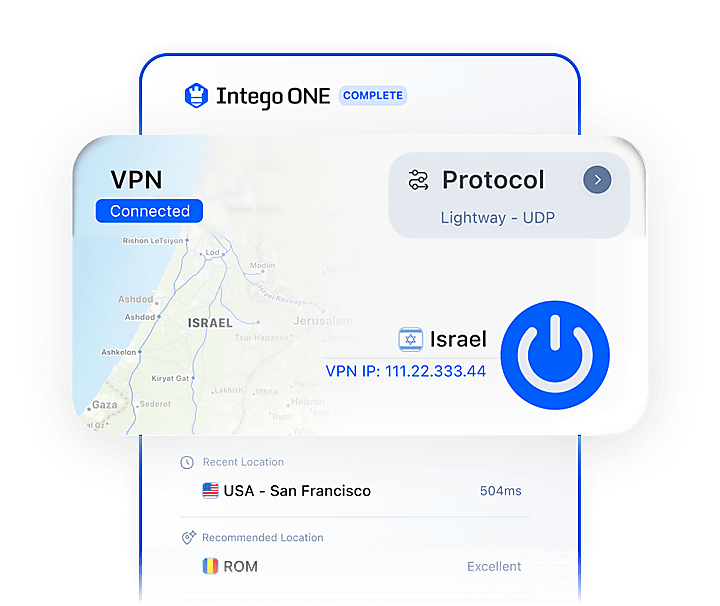
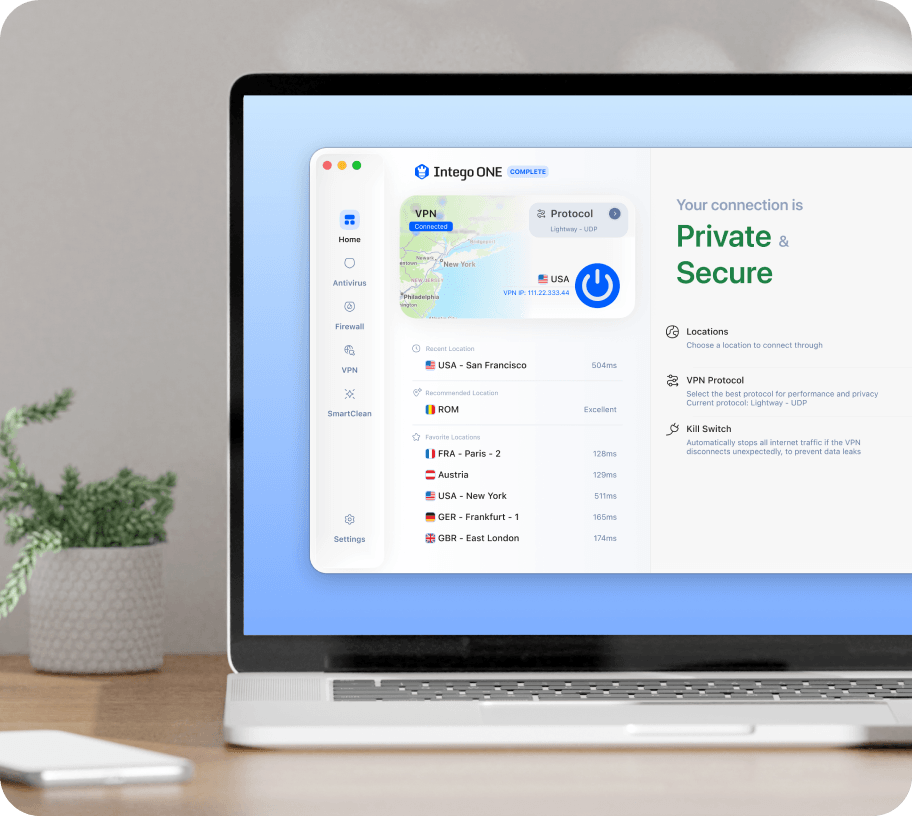
When you turn on Intego VPN, it creates an encrypted connection between your Mac and a VPN server. Your internet traffic travels through that server before reaching websites and online services, which see the server's IP address instead of your own. This gives you an extra layer of privacy without changing how you browse.
From banking and browsing to work and government services, the internet plays a central role in everyday life across Israel.
91.3%
of people in Israel used the internet in late 2025
From paying bills to checking emails, going online is part of everyday life for most people in Israel.
9 in 10
banking transactions in Israel are digital.
Checking balances, transferring money, and paying bills can all be done through banking apps and websites, without needing to visit a branch.
26,500
cyber-incident reports were received by Israel’s National Cyber Directorate in 2025
The number of reports rose 55% from 2024, a reminder of why good online security habits matter.
Why this matters
As more of everyday life in Israel happens online, from banking to shopping and staying connected, more personal information can be collected along the way. Internet providers can see details about your online activity, while websites and advertisers can use your browsing habits to build a picture of your interests.
Intego VPN encrypts your connection and masks your IP address, limiting what they can learn about your activity so you can browse with greater privacy.
A trustworthy VPN should protect your privacy, keep your connection secure, and offer reliable support when you need it.
Strict no-logs policy
Look for a provider that doesn't record your browsing activity, including the websites you visit. Its privacy policy should also clearly explain what information it collects.
Secure connections
Choose a service that uses AES-256 encryption, secure VPN protocols, and a kill switch that blocks internet traffic if your VPN connection briefly drops during a network switch.
Reliable customer support
With 24/7 support, you can get help with setup, connection issues, or other questions whenever you need it.
Money-back guarantee
A money-back guarantee lets you test the VPN while browsing, streaming, and working online, with the option to request a refund if it doesn’t meet your needs.
Privacy and security, explained simply
What a VPN does
Encrypts traffic between your Mac and the VPN server
Limits what your ISP can see about the sites you visit
Masks your IP address from websites
Lets you browse with an Israeli IP address
What a VPN doesn't do
It doesn't make you completely anonymous online
It doesn't protect you from scams or unsafe downloads
It doesn't offer the same protection as antivirus software
It doesn't guarantee access to every site or service
{"trustpilotBtnText":"Testimonials","techReviewsBtnText":"Reviews","hideCarousel":false,"selectedType":"testimonials","legalText":"We sometimes pay review sites to refer customers to us."}
To get an Israeli IP address, install Intego ONE Complete, open the VPN dashboard from the left-hand menu, and connect to a server in Israel. Your Mac will then use the server’s Israeli IP address instead of your own.
Connecting to a VPN server in Israel lets you keep an Israeli IP address while adding privacy to your browsing. It encrypts your traffic, limiting what your internet provider and others monitoring the network can see about the sites you visit. Choosing a local server may also offer better speeds than connecting to one farther away.
Yes. Intego VPN uses fast VPN protocols designed to support everyday activities, including video calls, streaming, and gaming. However, routing your traffic through a VPN server can add some latency or reduce speeds, depending on your network and the distance to the server. Choosing a nearby server often helps.
No. There’s no general ban on VPN use in Israel. However, using a VPN doesn’t exempt you from Israeli laws or the terms and conditions of websites and services.
A VPN helps limit what your internet provider can see. Your ISP can tell you’re connected to a VPN server, but encryption makes it harder to identify which websites and services you access. That said, a VPN doesn’t make you anonymous, and your ISP can still see some connection details, like when you’re online and how much data you transfer.
No. A VPN adds privacy by encrypting your internet connection and masking your IP address, while antivirus software scans your Mac for malware and other threats. Intego ONE Complete combines both with a firewall and SmartClean for more comprehensive Mac protection.
You can use Intego ONE on Intel or Apple silicon Macs running macOS 12.4+, with at least 8 GB of RAM and 2 GB of available disk space.
Get Intego VPN
Connect to an Israel VPN server on your Mac or iPhone for an Israeli IP address and more privacy online. With Intego ONE Complete, you also get antivirus, firewall, and SmartClean to help protect your Mac.
 Add a layer of security on public Wi-Fi in Israel


 Notarized



 Encrypts traffic between your Mac and the VPN server

 It doesn't make you completely anonymous online