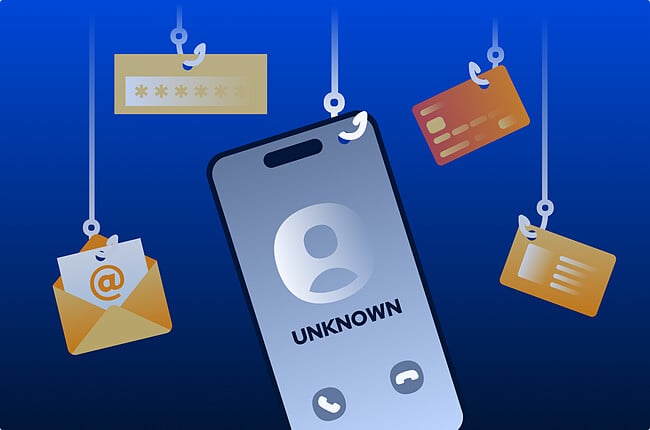
Phone scams work because a real voice can feel more convincing than a message on a screen. When someone sounds calm, confident, and official, it is easy to believe the call is real — especially if they claim there is a problem with your bank account, Apple ID, a delivery, or taxes.
That is what vishing is. It is a scam that uses phone calls or voicemails to pressure you into sharing sensitive information, reading out a verification code, sending money, or giving someone access to your accounts or device.
This guide explains what vishing usually sounds like, the warning signs to watch for, and what to do if a call does not feel right.
Not every scam call sounds dramatic right away. Some start small with a missed call, a short voicemail, or a quick check to see if you’ll answer. If you do pick up a vishing call, here’s what it often feels like when it happens:
Most vishing calls don’t start with anything obviously suspicious. They usually begin with a call from someone claiming to be from a bank, a service provider, or a government agency. The call introduces a problem — for example, money is at risk or there’s a problem with a service — and it can sound genuine.
At first, it feels like a normal customer service call. The caller may sound calm and helpful, walking through what seems like a standard process. Then the tone shifts, and there’s pressure to act quickly — for example, reading back a security code, downloading an app, or making a payment to resolve the issue.
In some cases, the caller already has access to basic personal details, such as a name or address, which makes the call feel more legitimate. The situation itself can vary — it might be described as a suspicious bank charge, a problem with an internet service, or an issue with taxes or legal records.
These calls are often made to look and sound familiar. The number that shows on the phone screen may be “spoofed” to match a real company, hiding the scammer’s real number. Some calls are automated at first, then passed to a real person, and in some cases, voices are AI-generated to sound like a recognizable public figure.
If the caller gets the information they’re asking for, the impact can build quickly. It might start with access to an account, like your Apple ID, or a password reset, then lead to sensitive data being exposed and, in some cases, money being moved between accounts.
In some situations, software downloaded as “support” tools stays on a device and allows the scam caller to access it after the call has ended. That access can let them see what you’re doing in real time — opening emails, logging into accounts, or managing your files — and in some cases, use that access to capture passwords or move further into your accounts.
Here are a few examples of how vishing scams show up in real situations:
In 2025, scammers used AI to mimic the voice of Italy’s defense minister, Guido Crosetto. They contacted prominent business leaders and claimed urgent funds were needed to help free kidnapped Italian journalists. Massimo Moratti reportedly transferred almost €1 million before the scam was uncovered.
In 2023, attackers used social engineering against MGM Resorts, helping trigger a cyberattack that disrupted services including digital room keys, reservations, and other hotel systems.
Scammers have repeatedly impersonated the Canada Revenue Agency and pressured people to make immediate payments by claiming they owe taxes. Scam calls may use spoofed numbers and threatening language to make the contact seem real and urgent.
Smishing and vishing are closely related — both aim to build trust just long enough to get personal details or convince someone to act.
Smishing uses text messages or messaging apps to send fake alerts, links, or phone numbers. These messages are usually short and urgent, warning about suspicious activity, delivery issues, or security problems.
Vishing uses phone calls or voicemails to build trust through conversation. That direct contact can create a different kind of pressure. When a caller sounds calm and confident, it’s easier to go along with what they’re saying — especially if they claim to be calling from a bank or a familiar company.
Many scams use both methods together. A common pattern starts with a scam text telling the recipient to call a phone number rather than click a link.
Once the call begins, the scammer tries to keep the conversation moving long enough to ask for information or get access that shouldn’t be shared, like a login code or permission to enter an account.
Moving from a text to a call can make the situation feel more like a real support process, which makes the warning signs easier to miss.
Spear vishing is a more targeted version of vishing. Instead of calling people at random, the scammer focuses on one person and uses the details they found beforehand to make the call feel familiar.
That might include mentioning a colleague, a recent project, or information pulled from a professional profile or company website — small details that make the call sound convincing.
At work, this often involves someone posing as IT or finance. Because they sound like they belong, it’s easier to go along with a request to share a password or approve a payment without stopping to question it.
Staying safe from vishing calls means slowing things down and paying attention to what feels off.
A few habits can make these calls less effective:
Don’t share any information during a suspicious call. If a caller asks for sensitive details like your PIN, password, or a one-time verification code, treat that as a serious warning sign. Scammers specifically ask for verification codes to break into accounts.
It’s perfectly fine to hang up the moment you feel uncomfortable. You don’t owe the caller an explanation, and putting the phone down gives you the space to think clearly without pressure.
If you want to check if the call was real, reach out to the company yourself. You can find their phone number on their website, in their app, or on a recent paper statement. Don’t rely on the number that showed up on your screen or any callback numbers left in a message, because caller ID can be spoofed.
It’s best not to follow any directions the caller gives you, like downloading a new app or clicking a link they sent. These can give someone access to your device or accounts, and may allow apps to make unexpected connections in the background — something a firewall can help you keep an eye on.
If you’re ever in doubt, it’s okay to pause. You can always talk it over with someone you trust. Taking that extra minute to check is often enough to avoid any problems.
If you shared information with a suspicious caller, start by securing your main accounts. Change your passwords, especially for email, banking, and accounts like your Apple ID or Google account.
Let your bank and phone provider know what happened. They can add extra identity verification so only you can make changes or move money, pause payments, or watch for unusual activity.
If you let the caller view your screen or control your device, turn those permissions off and delete any software they asked you to download. If you use a Mac, a tool like Intego’s antivirus can help check for and remove anything that shouldn’t be there.
Finally, keep an eye on your accounts over the next few days or weeks. Watch for unusual logins, password reset attempts, or transactions you don’t recognize. If anything stands out, contact your bank or service provider so you can secure the account right away.
Vishing calls work because they lean on human trust and a sense of urgency — things that aren’t always easy for a security tool to spot. Scammers are now using a mix of phone calls, messages, and emails together, which makes it easier for them to convince people to take specific actions.
By keeping a few simple habits in mind — like not sharing personal information over the phone — it’s much easier to stop, check what’s happening, and handle the situation safely.
Vishing is short for “voice phishing.” It describes a scam where a scammer calls or leaves a voicemail pretending to be someone they aren’t, hoping to get a person to share things like passwords or bank details.
Phishing usually happens through email, smishing arrives as a text or a chat message, and vishing happens over the phone — either through a direct call or recorded voicemail.
Vishing calls create a sense of urgency or concern, then start asking for details like passwords, bank logins, or verification codes.
Callers may also try to keep the conversation going or get defensive if you suggest hanging up and calling the company back yourself.
Scammers pretend to represent a well-known company, using a calm, confident tone to make it seem like something needs attention.
By guiding the conversation, they make the call feel routine enough that sharing details or approving a payment doesn’t seem unusual at that moment.
They may also mention small details they’ve found online or in public records, which helps the call feel more believable.
Yes. On a personal number, the person on the other end may claim to be from a bank, a tech support desk, or a government office.
At work, these callers often focus on people who handle payments, manage accounts, or have access to internal systems. They might pretend to be an executive or someone from IT to make any requests feel routine.
If you’ve shared details on a fraudulent call, start by updating passwords for any accounts that might be affected, then let your bank or employer know so they can watch for unusual activity.
It’s also worth checking your statements over the next few days to see if anything unfamiliar appears.
Start by notifying your mobile provider or a local consumer protection office. Many countries also have a dedicated service for reporting fraud like the Federal Trade Commission (FTC) in the US.
If the caller claimed to represent a bank or government department, those organizations usually have a way to report suspicious calls as well.
A simple way to reduce the risk is to avoid sharing sensitive information over the phone. If something doesn’t feel right, it’s best to hang up and contact the company directly using the number on their official website.
Caller ID filters can reduce unwanted calls, but they’re not always reliable on their own. Numbers can be changed or made to look familiar, making a call seem more trustworthy. Don’t rely on the name or number on your screen — if something feels off, hang up and contact the company directly using a trusted number.


