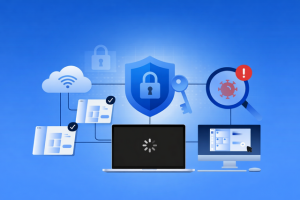
A managed security service provider (MSSP) is a third-party company that provides ongoing cybersecurity monitoring and support for an organization. Instead of building a full internal security operations team, a business can use an MSSP to monitor security alerts, investigate suspicious activity, and help respond when something goes wrong.
Cybersecurity isn’t just a big-company problem anymore. Ransomware, phishing, and data theft affect organizations of every size. At the same time, security tools have become more complex, and experienced cybersecurity staff are expensive and difficult to hire. For many teams, the challenge isn’t caring about security — it’s covering it consistently.
An MSSP helps you spot problems early and respond faster. In practice, that means collecting security signals (from devices, networks, and cloud services), reviewing alerts, and escalating anything that looks like a real incident.
Some MSSPs also manage specific security tools for you. Others focus mainly on detection and response support while your internal team keeps ownership of the tools and decisions.
A good MSSP relationship feels less like a vendor and more like a steady extra layer of coverage — especially after hours.
Most organizations don’t struggle because they have “no security.” They struggle because they have security tools and alerts, but not enough time or people to monitor everything.
An MSSP can help when:
In plain terms, an MSSP helps reduce the chance that a warning sign gets missed until it becomes a business-disrupting incident.
Most MSSPs offer a core set of services that support ongoing security operations. The exact mix varies, but it commonly includes continuous monitoring, alert triage, and incident escalation.
Many providers also offer log management (often through a SIEM), endpoint and network monitoring, vulnerability scanning, and reporting. In regulated industries, some providers help with audit-ready documentation as well.
The key is to look past the service names and confirm what you’ll actually get — what’s monitored, how incidents are handled, and what support looks like once something is confirmed.
Not all MSSPs offer the same depth. When a provider goes beyond basic monitoring, the biggest difference is how deeply they investigate and how hands-on they are during incidents.
Advanced services may include managed detection and response (MDR), threat intelligence, cloud security monitoring, and threat hunting. In practice, this usually means fewer generic alerts and more real analysis — including context on what happened, how serious it is, and what to do next.
A useful question to ask is: “When you say ‘response,’ what actions are you actually taking — and what actions are we responsible for?”
MSSPs detect threats by collecting security data from across your environment. That might include network activity, endpoint behavior, cloud logs, and unusual sign-in patterns.
Automated tools flag suspicious behavior, but human analysts typically confirm whether it’s real and how urgent it is. If it’s confirmed, the MSSP follows the response steps you’ve agreed on — for example, escalating to your team, recommending containment actions, or helping coordinate remediation.
The advantage is speed and consistency. You’re not starting from scratch when an incident hits.
An MSSP and an in-house security team aren’t the same thing — and in many companies, they work together.
An MSSP is usually strongest at operational coverage: monitoring alerts, investigating suspicious activity, and escalating incidents quickly (often with 24/7 coverage).
An in-house security team is usually strongest at context and control: understanding internal systems deeply, setting policy, deciding risk appetite, and driving longer-term security improvements.
If you’re choosing between the two, it often comes down to this:
An MSSP can help any organization that needs stronger monitoring and incident support, but it’s especially useful when you don’t have a dedicated security operations function.
It’s common in healthcare, finance, retail/e-commerce, and regulated environments — but it’s also common in mid-sized businesses that face enterprise-level threats without enterprise-level staffing.
Choosing an MSSP is mostly about fit and clarity. A polished dashboard doesn’t matter much if incident response is vague.
Before signing anything, make sure you can get clear answers to:
A useful test is to ask them to walk through a realistic incident scenario. If the explanation is confident and specific, that’s a good sign. If it’s fuzzy, you’ll feel that fuzziness when you need them most.
Pricing depends on scope and complexity. Some MSSPs price per endpoint or per user. Others use tiered packages or custom pricing based on coverage, response involvement, and log volume.
The most important step is to confirm what’s included in the base service. Two providers can look similar on paper and still handle incidents very differently.
An MSSP can make sense if you need reliable monitoring and incident support but can’t realistically staff that function in-house right now.
For many organizations, the decision isn’t whether security matters — it’s how to deliver it consistently without pulling time and attention away from the work the business actually exists to do.
An MSSP provides ongoing security monitoring and incident support for an organization. In practice, that usually means reviewing alerts, investigating suspicious activity, and escalating or coordinating response steps when something looks real. Many MSSPs also help with log management, endpoint/network monitoring, and regular reporting. What they actually do day to day depends on the contract — some are “monitor and escalate,” while others are more hands-on.
An MSP (managed service provider) typically focuses on general IT services like device management, uptime, patching, and helpdesk support. An MSSP focuses specifically on security — threat detection, alert triage, and incident response support. Some companies work with both: an MSP for day-to-day IT and an MSSP for security monitoring and response. If a provider says they do both, ask which team handles security events and how incident escalation works.
No. Many small and mid-sized organizations use MSSPs because 24/7 monitoring and incident coverage is hard to staff internally. An MSSP can provide access to experienced analysts and established response processes without the overhead of building a full security operations center. The key is choosing a service level that matches your risk level and budget. If you’re a smaller team, clarity on “what happens after an alert” matters even more.
Most MSSPs include continuous monitoring, alert triage, and incident escalation. Many also include log collection and SIEM support, endpoint and network monitoring, vulnerability scanning, and scheduled reporting. More advanced services may include managed detection and response (MDR), cloud security monitoring, threat intelligence, and threat hunting. Always confirm what’s included versus what’s an add-on — especially for incident response.
MSSPs usually follow predefined escalation and response steps agreed with the organization. Some providers mainly investigate and advise while your internal team executes actions; others can take a more active role if the scope allows it. The best time to clarify this is before you sign — ask for a walk-through of a realistic incident scenario. You want to know who gets notified, how fast, and what actions happen in the first hour.


