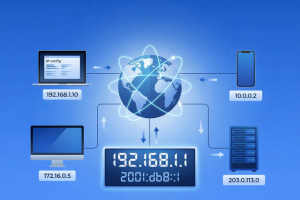
Every time you open a website, stream a video, send an email, or connect to Wi-Fi, your device relies on an IP address. You rarely see it, and most of the time you probably do not think about it. But it plays a quiet, important role in how the internet works.
Your IP address helps websites, apps, and online services know where to send data. It also affects how your connection is recognized, what websites can infer about your location, and how easily your online activity can be linked back to your network. Once you understand what an IP address does, it becomes much easier to understand privacy, tracking, and why tools like VPNs matter.
An IP address — short for Internet Protocol address — is a unique number assigned to a device when it connects to a network.
You can think of it as a digital address for your device. It tells websites, apps, and online services where to send the information you request. Without IP addresses, devices would have no reliable way to send and receive data over the internet or within a local network.
A typical IPv4 address looks like this:
192.168.1.25
When your Mac connects to Wi-Fi, it is assigned an IP address so the network knows where to deliver the data meant for your device.
The main job of an IP address is to make sure data reaches the right destination.
IP addresses help:
In practical terms, IP addresses are one reason multiple devices can use the same internet connection without getting in each other’s way. Your Mac, phone, tablet, and smart TV can all connect through the same router because each device has its own address inside the network.
IP addresses also play a role in security and network management. They can be used to detect suspicious activity, restrict access, and apply location-based or network-based rules.
When your device connects to the internet, it is assigned an IP address by the network you are using. That could be your home router, a workplace network, public Wi-Fi, or your internet service provider.
In simple terms, this is what happens:
This process happens automatically. You type a website name, not a string of numbers, because systems like DNS translate web addresses into IP addresses behind the scenes.
Your IP address is a technical necessity, but it also forms part of your digital footprint.
On its own, an IP address does not usually reveal your name or exact home address. But it can often reveal your general location, such as your city or region, along with your internet service provider. That may not sound like much, but it can still be useful for websites, advertisers, and other third parties trying to recognize or profile your connection.
Your IP address can affect your privacy by making it easier to:
This is why IP addresses are often treated as personal data under privacy laws. On their own, they are limited. Combined with browser fingerprints, cookies, and account activity, they become much more revealing.
Not all IP addresses do the same job. Different types are used for different parts of the network.
A public IP address is assigned to your network by your internet service provider. This is the address websites and online services see when you connect.
A private IP address is used inside your local network. Your router assigns private IP addresses to devices such as your Mac, phone, printer, or smart TV so they can communicate with each other.
In most homes, several devices share one public IP address while each device has its own private IP address inside the network.
A static IP address stays the same over time. These are often used by servers, business networks, or systems that need a stable address.
A dynamic IP address changes from time to time and is assigned automatically. Most home internet connections use dynamic IP addresses because they are easier for providers to manage.
Because dynamic IP addresses can change, they offer a slight privacy benefit compared with addresses that stay fixed for long periods.
IP addresses come in 2 main formats.
IPv4 is the older format and uses numbers separated by dots, such as 192.168.1.1.
IPv6 is the newer format and uses a longer combination of numbers and letters, such as 2001:0db8:85a3::8a2e:0370:7334.
IPv6 was introduced because there are now far more internet-connected devices than IPv4 was designed to support. Most modern devices and networks support both.
You can find your IP address in a few different ways, depending on whether you need your private IP address or your public IP address.
To find your private IP address on your Mac:
This shows the IP address your Mac uses inside your local network.
Your public IP address is the one websites and online services can see.
You can find it by:
This is the address associated with your internet connection as a whole.
Yes — to a point.
An IP address can reveal some basic information about your connection, including your general location and internet provider. It does not usually identify you directly, but it can still be used for logging, profiling, and repeat recognition over time.
Websites, advertisers, and online services may use IP addresses to:
That is why hiding or masking your IP address can improve privacy, especially on public Wi-Fi or unfamiliar networks.
People choose to hide their IP address to reduce tracking, improve privacy, and better protect their data online.
A VPN — virtual private network — is one of the most practical ways to hide your IP address.
When you use a VPN, your internet traffic is routed through a secure VPN server. Websites and online services see the VPN server’s IP address instead of your real one. A VPN also encrypts your traffic, which helps protect logins, messages, and other sensitive data on public or shared networks.
For Mac users, this is usually the most useful option because it protects all internet traffic on the device, not just what you do in one browser tab.
A proxy server acts as an intermediary between your device and the internet. When you access a website through a proxy, the website sees the proxy’s IP address instead of yours.
This can be useful for quick tasks, but most proxy servers do not encrypt your traffic. Many also work only within a specific browser or app, which means the rest of your internet activity may still be exposed.
Privacy-focused networks such as Tor route your traffic through multiple relays before it reaches its destination. That makes it harder to trace the connection back to your real IP address.
This approach can provide stronger anonymity, but it is usually slower than a VPN and may not work well with streaming, banking, or websites that block anonymous traffic.
Your IP address helps the internet function, but it also makes your connection more visible.
Hiding your IP address can help reduce direct exposure of your public connection, make location-based tracking less precise, and make it harder for websites and advertisers to tie your activity to the same network over time. It will not make you completely anonymous, but it can be an important part of a more private browsing setup.
For Mac users, this matters most on public Wi-Fi, shared networks, and any connection where you want stronger privacy and better protection against unnecessary exposure.
An IP address is a unique number assigned to your device when it connects to a network. It works like a digital address, helping websites, apps, and online services know where to send the data you request. Without IP addresses, devices would not be able to communicate properly over the internet or within a local network.
An IP address helps identify a device on a network and makes sure internet traffic reaches the right place. When you open a website, stream a video, or use an app, your device sends a request and the response is sent back to your IP address. In simple terms, it helps your device send and receive data correctly.
A public IP address is the address your network uses on the internet. It is assigned by your internet service provider and is visible to websites and online services. A private IP address is assigned by your router to a specific device inside your local network, such as your Mac, phone, or printer. In most homes, several devices share one public IP address while each device has its own private IP address.
Yes. When you visit a website, the site can usually see the public IP address connected to your internet traffic. That is a normal part of how the internet works. Websites may use this information for things like location estimates, fraud prevention, traffic analysis, and security checks.
Not usually on its own. An IP address can often reveal your general location and internet provider, but it does not normally reveal your exact identity. The privacy concern is that it can still be logged and combined with cookies, account activity, and other tracking data to build a clearer picture of your online behavior over time.
You can find your private IP address in your Mac’s System Settings. Open Wi-Fi or Network, select your active connection, and view the connection details. If you want to see your public IP address — the one websites can see — you can use an online IP lookup tool or check your router settings.
For most people, a VPN is the safest and most practical option. It masks your public IP address by routing your internet traffic through a secure VPN server, and it also encrypts your traffic at the same time. That makes it a stronger privacy tool than options like a basic proxy, especially on public Wi-Fi and shared networks.


